 Puresys纯净系统-软件下载
介绍
官方网站:https://github.com/xpf0000/FlyEnv
FlyEnv是一个集Web服务器/数据库服务器/开发环境管理于一体的GUI应用程序
简而言之,FlyEnv提供了一套完整的运行环境。帮助用户开发和调试PHP/NodeJS/Java/Go/Python程序,如 laravel/wordpress/yii2/thinkphp/fastadmin/NestJS/SpringBoot/Gin/Beego/Django/Flask...
软件截图
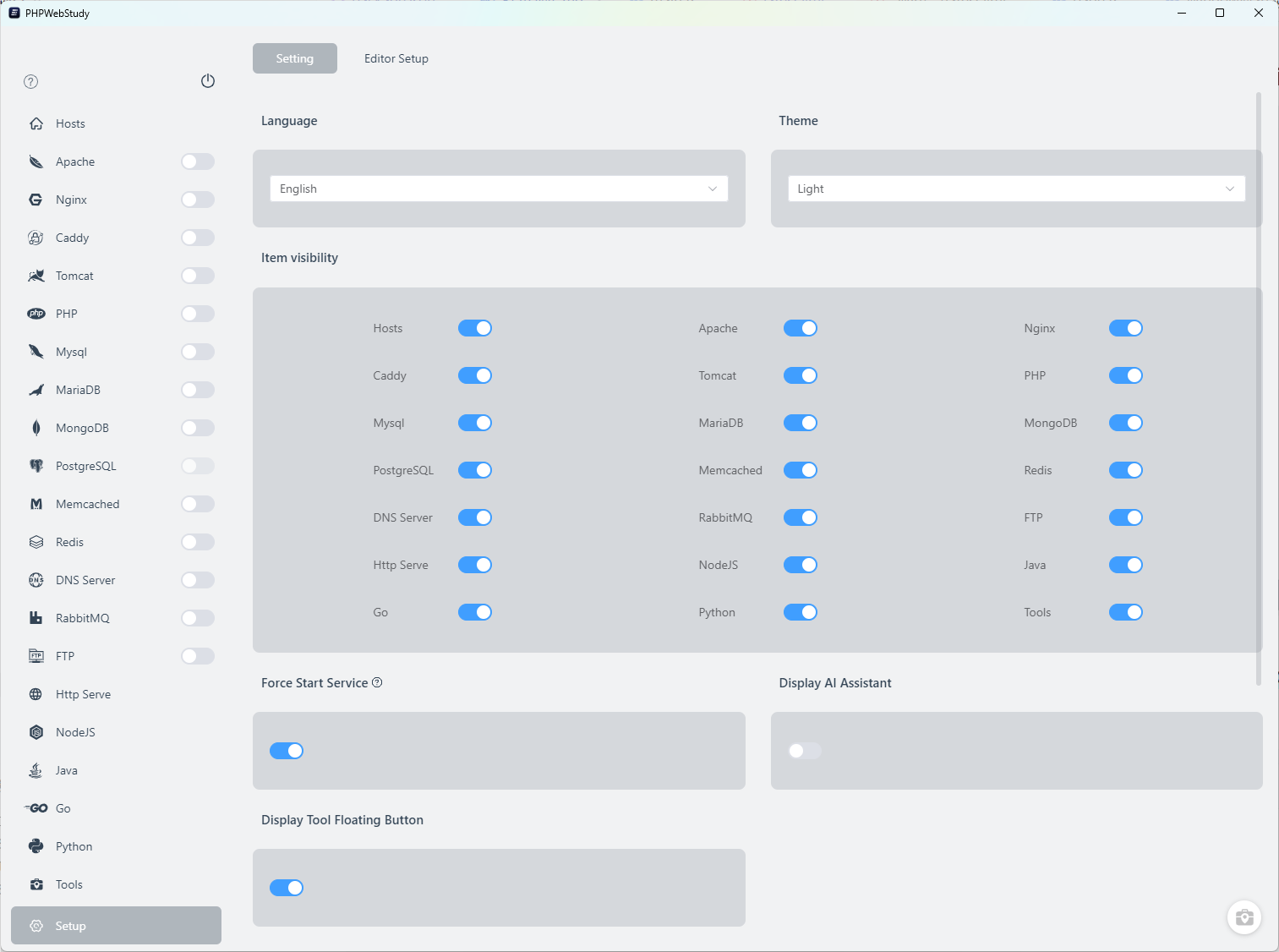
软件特点
和Docker的差异
Docker确实非常好。但也有许多人只是想要一个开箱即用的PHP/NodeJS/Java/Go/Python程序运行环境。
与Docker相比,PhpWebStudy更直观,更易于使用。PhpWebStudy不使用虚拟容器,它是一个本机应用程序。所有模块都以本机静态二进制文件运行,速度更快,消耗的资源更少(特别是在macOS和Windows上)。配置文件和日志文件也更容易查看和修改。
和MAMP Pro/Laravel Herd/XAMPP...等的差异
与其他应用程序相比,PhpWebStudy更灵活。PhpWebStudy本身实现了一组服务运行框架。内部服务可以来自任何来源。Homebrew/Macports/APT/DNF/官方静态二进制/第三方静态二进制... 版本更新将更加及时。 与某些应用程序不同,除非等待应用程序更新,否则您只能使用一些过时的版本。
PhpWebStudy的每个服务的运行设置和配置文件也更接近实际的生产部署环境。它们可以很容易地应用于生产环境。
更新日志
FlyEnv v4.20.0 Update Release Notes
🚀 New Features
1. Added Windows UAC Authorization Mode
FlyEnv can now perform supported Windows administrator operations through the native User Account Control (UAC) prompt, without requiring the FlyEnv helper to be installed. This gives users an alternative on devices where installing a background helper is inconvenient.
The new authorization workflow provides:
- Your Choice of Authorization Method: Choose UAC or the FlyEnv helper when administrator access is first needed, and change the preference later in Settings
- Helper-Free UAC Operation: In UAC mode, privileged tasks request Windows authorization directly, without automatically installing or repairing the helper
- System Task Coverage: Supports administrator operations for hosts entries, DNS refresh, environment variables and PATH, certificates, and managed process operations
- Clear Cancellation and Failure Feedback: Cancelling an authorization request leaves the selected method intact and reports the affected operation's result
- Existing Helper Management: Users switching to UAC can choose to disable their existing FlyEnv helper
2. Added llama.cpp Plugin
The Plugin Market now includes llama.cpp for managing local inference runtimes and GGUF models directly in FlyEnv.
The plugin provides:
- Runtime Version Management: Download and manage official llama.cpp releases with the CPU or GPU backend available for your platform
- GGUF Model Library: Browse and search public Hugging Face model repositories, inspect model files and sizes, and download models into a local library
- Inference Settings: Configure the selected model, context size, CPU threads, GPU layers, listening address, and port
- Service Controls and Logs: Start, stop, and restart the local inference server through FlyEnv's service controls, and inspect its logs
- Local API Access: Run an OpenAI-compatible local endpoint, with API key configuration for authenticated access
3. Added OpenSearch Plugin
The new OpenSearch plugin adds a search and analytics engine to the Plugin Market, with version management and the standard FlyEnv service workflow on Windows, macOS, and Linux.
The plugin provides:
- Version Management: Download and manage OpenSearch versions from FlyEnv
- Service Controls: Start and stop OpenSearch from its module or the system tray
- Configuration and Logs: Edit OpenSearch, JVM, and logging settings, and inspect service logs
- Local Development Mode: Disable the OpenSearch security plugin through a dedicated development-mode switch, with restart guidance
- OpenSearch Dashboards: Prepare and open the matching Dashboards version for the running OpenSearch service
🛠️ Improvements & Bug Fixes
4. Fixed Excessively Long Classic Tray Menus
The classic tray menu now moves entries beyond its top-level limit into a More submenu. This keeps long lists of startup groups and services from pushing the main-window and exit actions out of reach, while retaining access to every service control.



请问是你在申请FlyEnv许可证吗?
f866d2bf73c25d1b5b74705868438f479cd1bcde1bf9e6a706c93f41a7563984
这个是你的UUID吗?
没有
尝试了一下,MYSQL没打开,错误