 Puresys纯净系统-软件下载
介绍
Zen Browser 是一款基于Gecko的开源跨平台浏览器。可阻止跟踪器、广告和其他不需要的内容,同时提供最佳浏览体验。无论你是在处理紧急任务还是日常浏览,Zen Browser 都能为你提供一个高效、流畅的工作平台。简洁明了的用户界面,在浏览网页时,可以完全专注于内容本身,而不是被繁杂的功能和广告打扰。
软件截图
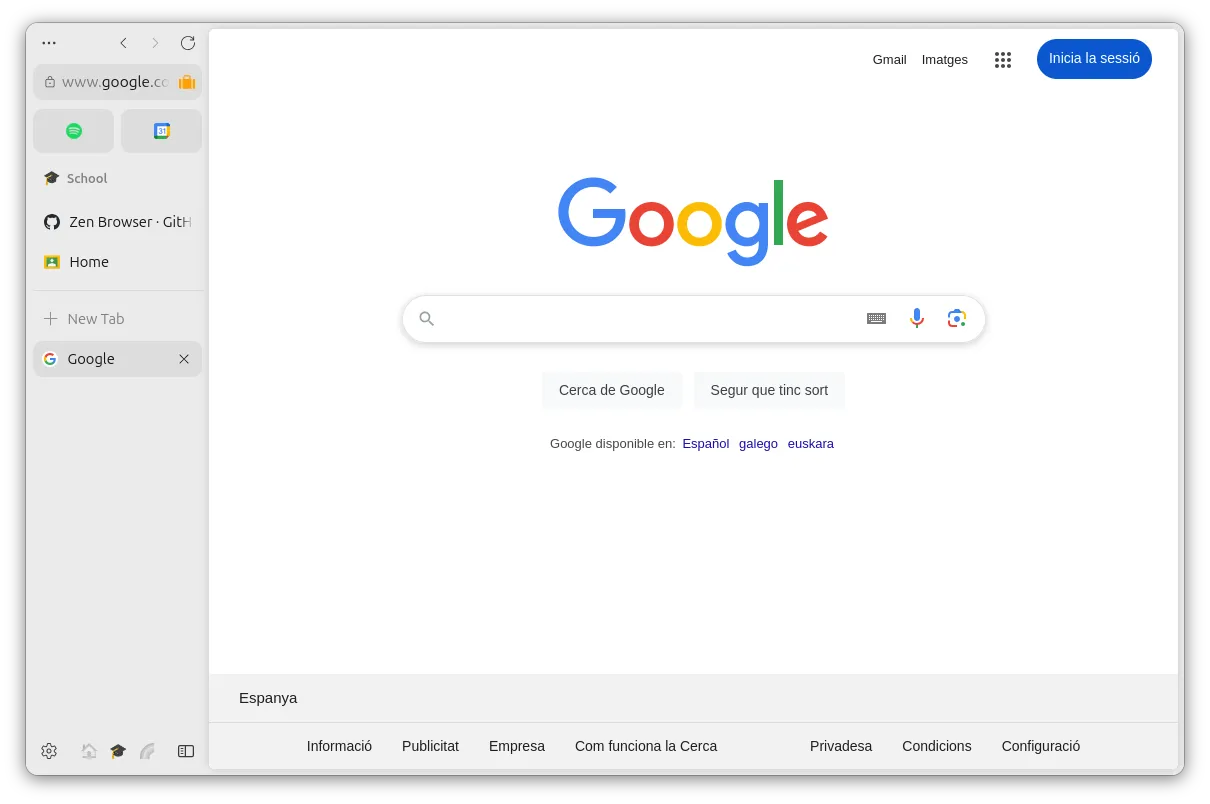
软件特点
- 分屏浏览:类似 Arc 浏览器的 Split View 功能,允许您将视图拆分为多个窗格,因此您可以一次处理多个事情。它非常适合多任务处理。
- 工作区域:类似 Arc 浏览器的 Workspace 功能,将标签页分类整理到不同工作区,更好的标签页管理可帮助您保持井井有条和专注,减少混乱并提高工作效率。
- 工具栏:弥补了 Arc 没有开放 Sidebar 权限的缺陷,可把它理解为一个能让你随时打开常用网站的拓展,比如你可以一边打开 Pitchfork 查看新鲜乐评,一边在 Wikipedia 上了解相关信息;可让您快速访问您喜爱的网站、书签等。这是保持井井有条的完美方式。
- 紧凑模式:开启后便能像 Arc 一样默认隐藏掉侧边栏及地址栏,沉浸式地浏览内容,当您需要专注于工作时,它非常适合。
- 主題商店:内置主题商店,使用 Zen 的主题商店,您可以自定义您的浏览体验以反映您的独特风格和偏好。从各种主题、颜色和布局中进行选择,使 Zen 真正属于您,将您的浏览器转变为个性化的数字空间。让你尽情享受「科技以换壳为本」的乐趣。
更新日志
v1.24b
New Features
- Updated to Firefox 159.0
- You can now import Spaces and Profiles from Arc and Dia.
- Boosts gets a nice upgrade! THey can now be shared with others and they get an overall quality improvement.
- Holding 'ctrl' (or 'cmd' on macOS) while hovering over the new tab button will now give the option to 'Paste & Search'.
- You can now remove/add tabs from the library.
- An indicator will now show when a tab is not visible.
Fixes
- Fixed an issue where expanded glance tabs would not appear on the right Space.
- Fixed the file upload dialog opening in the last folder a file was saved to, such as Downloads, instead of the folder last used for uploads.
- Fixed memory usage growing rapidly when sites such as the Zoom web app were left open in a minimized window.
- Fixed some videos displaying incorrectly on Windows when NVIDIA RTX Video HDR is enabled.
- Fixed bookmarks not being imported from Google Chrome profiles that are signed in to a Google account.
- Fixed the Replace button in Apple Writing Tools on macOS inserting the clipboard contents instead of the rewritten text on some sites.
- Fixed long drop-down lists on web pages sometimes showing blank space in place of the last options until the list was scrolled.
- Fixed some sites, such as Slack, failing to load instead of falling back to HTTP/2 when the site rejected an HTTP/3 request.
- Fixed Zen using excessive memory on Linux with AMD graphics when viewing map or place results on sites such as ChatGPT.
- Fixed quick gamepad button presses sometimes being missed in web games on macOS.
- Fixed tabs sometimes detaching into a new window when clicked on Linux with Wayland.
- Fixed menus and panels fading in on Windows and Linux when animation effects are turned off in the operating system.
- More bug fixes and improvements.
Changes
- Zen's keyboard shortcuts have been improved and moved to about:keyboard.
- Space Routing settings have been moved to the Library
- On the site center, the reader mode button has been moved next to the 'Secure' button and shown only if available.
- Web addresses written in the Javanese, Balinese, Canadian Aboriginal Syllabics, and N'Ko scripts are now displayed in their own script instead of as encoded "xn--" text.



最近我入手一个ARM处理器笔记本 windows11arm系统 虽然firefox原版有arm版 但用64位看B站首页视频能正常播放偶尔会搜索和用户主页界面就马上弹出报错窗口然后崩溃 但抖音网页版占用更高应该来说打开网页马上就会崩掉 意外的是就是速度有点慢视频能播放没崩掉 Firefox floorp zenx64位版在ARM下运行也一样的问题 但chromium系浏览器64位在arm系统上看B站是正常的 不知道是不是扩展装的太多还是B站问题 还是处理器兼容和的虚拟转译的问题 笔记本华为matebookpro 处理器麒麟X90 内存32gb 存储1tb windows11分8GB内存 256GB存储
zen模组好像不行了,升级之后
这个很好用哦