 Puresys纯净系统-软件下载
介绍
官方网站:https://github.com/DavidXanatos/TaskExplorer/
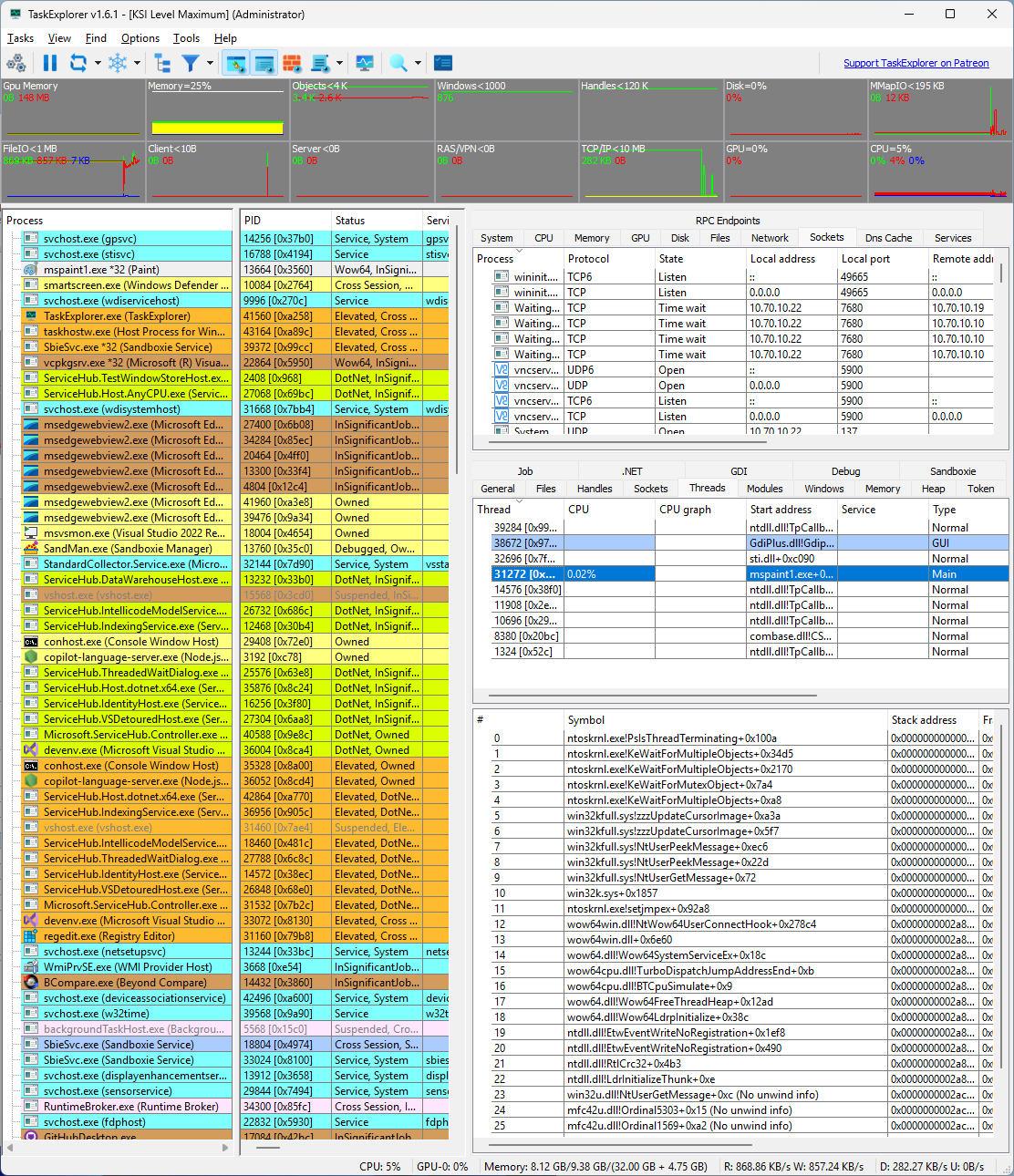
Task Explorer 是一个高级的任务管理器替代品,旨在为用户提供更加详尽的系统进程信息,并提供对应用程序资源使用的深入洞察。它不仅仅是一个简单的任务监控工具,还能够展示每个应用程序在特定时间点上的具体行为。
软件截图
软件特点
用户友好的界面:尽管功能强大,但设计时考虑到了用户体验,使得即使是非技术用户也能轻松上手。
实时更新:能够实时刷新进程和服务的状态,确保用户总是能看到最新的系统状况。
轻量级应用:即使提供了丰富的功能,也不会过度消耗系统资源。
免安装版本:一些版本的 Task Explorer 可以直接运行而不需要复杂的安装过程,方便携带和部署。
兼容性:通常与多个Windows版本兼容,确保广泛的用户基础都能使用该软件。
软件功能
详细的任务信息:Task Explorer 提供了详细的进程列表,包括CPU、内存使用情况,以及网络活动等。
历史数据查看:用户可以查看过去某个时间段内的任务执行情况和性能指标。
任务状态查询:允许用户检查任务的当前状态,包括已完成的任务、失败的任务以及正在运行的任务。
进程树视图:展示进程之间的父子关系,帮助理解系统的进程结构。
可定制的界面:用户可以根据自己的需要调整显示的信息列,以获得最关注的数据。
高级搜索和过滤:支持通过多种条件组合进行搜索和过滤,快速定位到感兴趣的进程或服务。
更新日志
2.0.0
Task Explorer 2.0 is a major release introducing native Linux support and remote system monitoring.
Task Explorer is now available natively for Linux on both x64 and ARM64. The Linux version includes Wine integration, allowing Task Explorer to expose additional Windows-specific information for Wine processes, including Windows process names and PIDs, handles, windows and tokens.
The second major addition is remote monitoring through the new TaskServer and TaskRemote components. Task Explorer can now connect to and monitor remote Windows and Linux systems, including cross-platform connections, and multiple machines can be monitored simultaneously. Machine selection and cluster-mode controls have been added directly to the toolbar to make working with multiple systems easier. Remote access includes secure authentication, encrypted credential storage and automatic discovery of TaskServer instances on the local network. Remote monitoring requires a Task Explorer supporter certificate, available from the Xanasoft store at xanasoft.com.
On Windows, Task Explorer 2.0 also introduces optional Window Agents that allow windows belonging to other user sessions to be enumerated and controlled. The built-in Windows security object editor has been replaced with a custom permissions editor.
Under the hood, much of Task Explorer has been reorganized around a new system abstraction layer that allows local Windows, local Linux and remote systems to be handled through the same interfaces. PHlib has also been updated to version 4.0.26241. These architectural changes provide the foundation for further expansion of Task Explorer's cross-platform and remote-management capabilities.



中文版?为何你截图是英文的