 Puresys纯净系统-软件下载
介绍
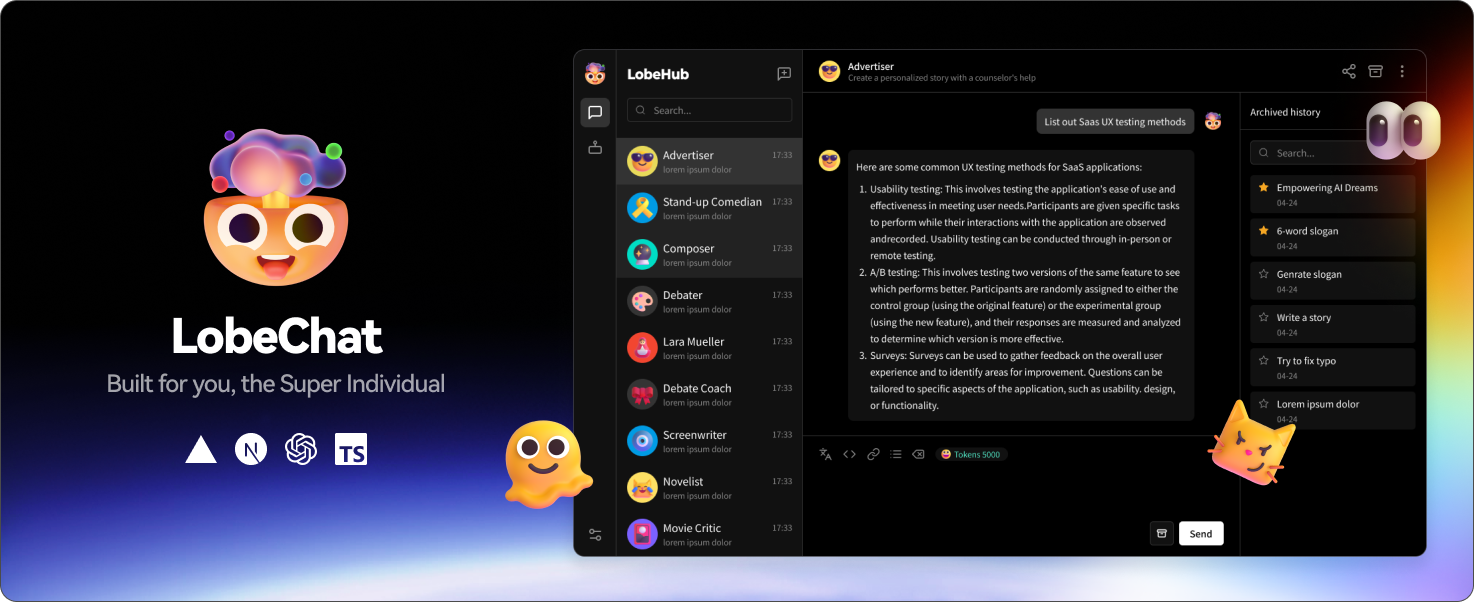
现代化设计的开源 ChatGPT/LLMs 聊天应用与开发框架支持语音合成、多模态、可扩展的(function call)插件系统一键免费拥有你自己的 ChatGPT/Gemini/Claude/Ollama 应用
软件截图
软件特点
1 思维链 (CoT)
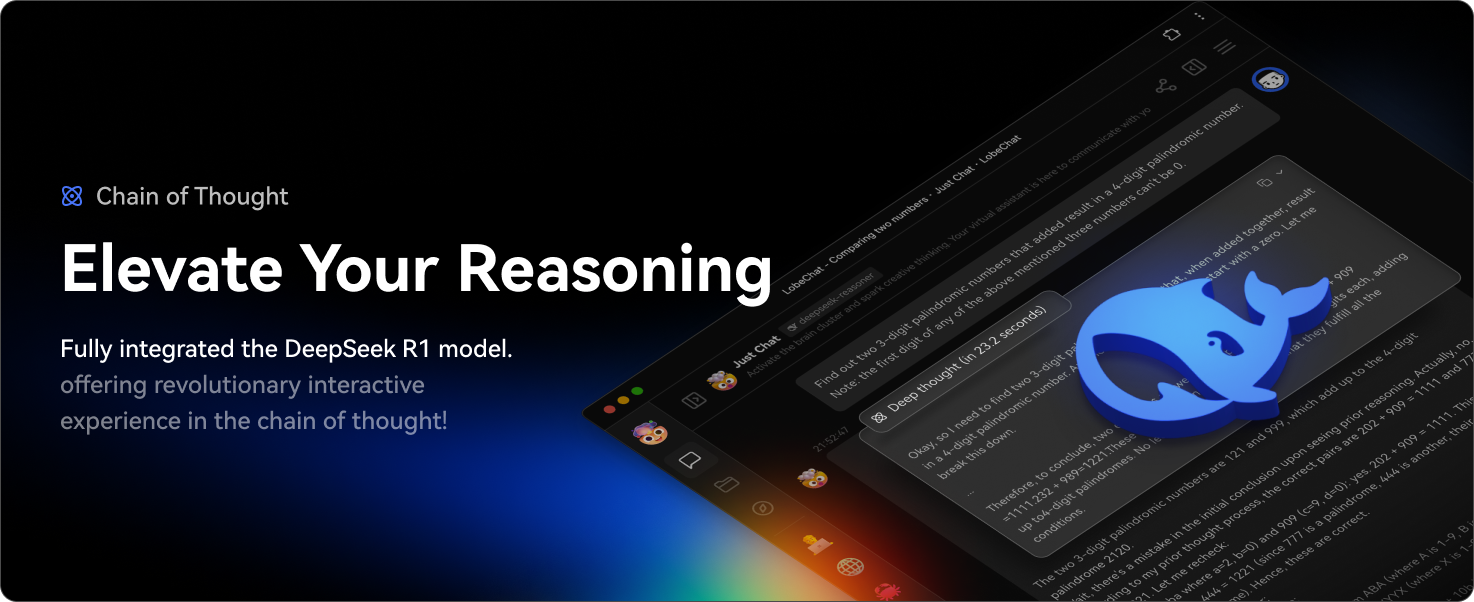
体验前所未有的 AI 推理过程。通过创新的思维链(CoT)可视化功能,您可以实时观察复杂问题是如何一步步被解析的。这项突破性的功能为 AI 的决策过程提供了前所未有的透明度,让您能够清晰地了解结论是如何得出的。
通过将复杂的推理过程分解为清晰的逻辑步骤,您可以更好地理解和验证 AI 的解题思路。无论您是在调试问题、学习知识,还是单纯对 AI 推理感兴趣,思维链可视化都能将抽象思维转化为一种引人入胜的互动体验。
2 分支对话
为您带来更自然、更灵活的 AI 对话方式。通过分支对话功能,您的讨论可以像人类对话一样自然延伸。在任意消息处创建新的对话分支,让您在保留原有上下文的同时,自由探索不同的对话方向。
两种强大模式任您选择:
- 延续模式:无缝延展当前讨论,保持宝贵的对话上下文
- 独立模式:基于任意历史消息,开启全新话题探讨
这项突破性功能将线性对话转变为动态的树状结构,让您能够更深入地探索想法,实现更高效的互动体验。
3 支持白板 (Artifacts)
体验集成于 LobeChat 的 Claude Artifacts 能力。这项革命性功能突破了 AI 人机交互的边界,让您能够实时创建和可视化各种格式的内容。
以前所未有的灵活度进行创作与可视化:
- 生成并展示动态 SVG 图形
- 实时构建与渲染交互式 HTML 页面
- 输出多种格式的专业文档
4 文件上传 / 知识库
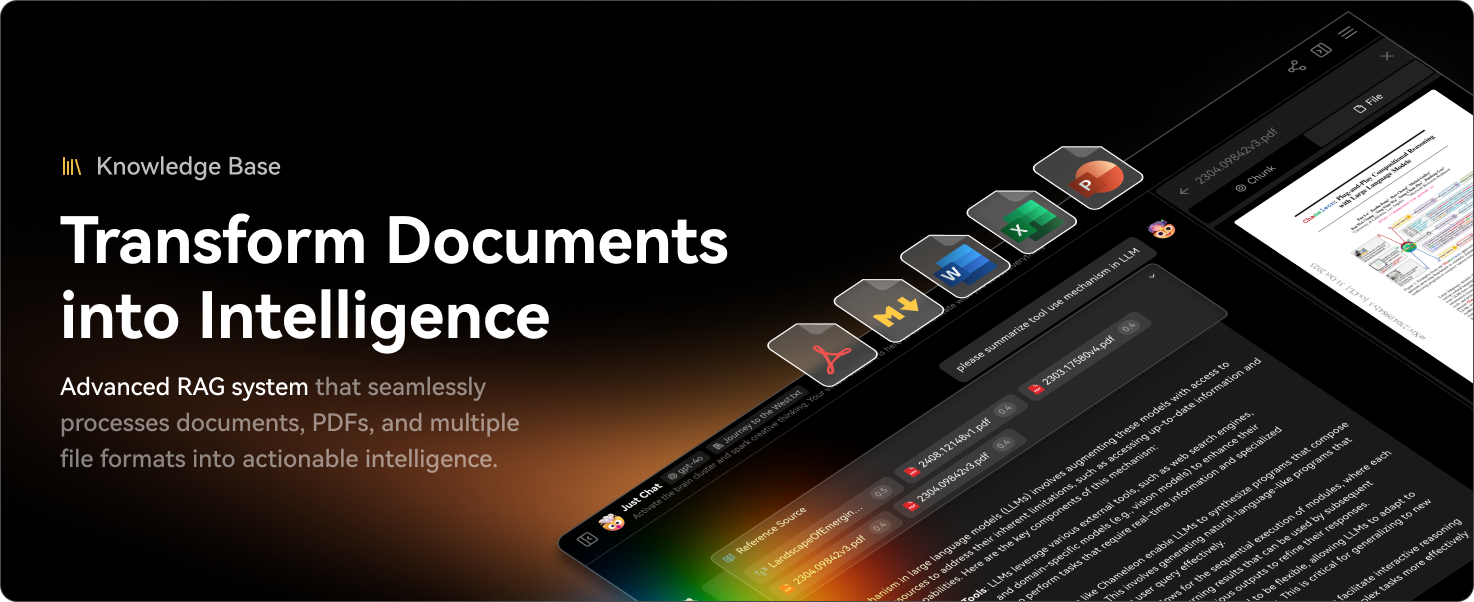
LobeChat 支持文件上传与知识库功能,你可以上传文件、图片、音频、视频等多种类型的文件,以及创建知识库,方便用户管理和查找文件。同时在对话中使用文件和知识库功能,实现更加丰富的对话体验。
5 多模型服务商支持
在 LobeChat 的不断发展过程中,我们深刻理解到在提供 AI 会话服务时模型服务商的多样性对于满足社区需求的重要性。因此,我们不再局限于单一的模型服务商,而是拓展了对多种模型服务商的支持,以便为用户提供更为丰富和多样化的会话选择。
通过这种方式,LobeChat 能够更灵活地适应不同用户的需求,同时也为开发者提供了更为广泛的选择空间。
6 支持本地大语言模型 (LLM)
为了满足特定用户的需求,LobeChat 还基于 Ollama 支持了本地模型的使用,让用户能够更灵活地使用自己的或第三方的模型。
7 模型视觉识别 (Model Visual)
LobeChat 已经支持 OpenAI 最新的 gpt-4-vision 支持视觉识别的模型,这是一个具备视觉识别能力的多模态应用。 用户可以轻松上传图片或者拖拽图片到对话框中,助手将能够识别图片内容,并在此基础上进行智能对话,构建更智能、更多元化的聊天场景。
这一特性打开了新的互动方式,使得交流不再局限于文字,而是可以涵盖丰富的视觉元素。无论是日常使用中的图片分享,还是在特定行业内的图像解读,助手都能提供出色的对话体验。
8 TTS & STT 语音会话
LobeChat 支持文字转语音(Text-to-Speech,TTS)和语音转文字(Speech-to-Text,STT)技术,这使得我们的应用能够将文本信息转化为清晰的语音输出,用户可以像与真人交谈一样与我们的对话助手进行交流。 用户可以从多种声音中选择,给助手搭配合适的音源。 同时,对于那些倾向于听觉学习或者想要在忙碌中获取信息的用户来说,TTS 提供了一个极佳的解决方案。
在 LobeChat 中,我们精心挑选了一系列高品质的声音选项 (OpenAI Audio, Microsoft Edge Speech),以满足不同地域和文化背景用户的需求。用户可以根据个人喜好或者特定场景来选择合适的语音,从而获得个性化的交流体验。
9 Text to Image 文生图
支持最新的文本到图片生成技术,LobeChat 现在能够让用户在与助手对话中直接调用文生图工具进行创作。 通过利用 DALL-E 3、MidJourney 和 Pollinations 等 AI 工具的能力, 助手们现在可以将你的想法转化为图像。 同时可以更私密和沉浸式地完成你的创作过程。
10 插件系统 (Tools Calling)
LobeChat 的插件生态系统是其核心功能的重要扩展,它极大地增强了 ChatGPT 的实用性和灵活性。
11 助手市场 (GPTs)
在 LobeChat 的助手市场中,创作者们可以发现一个充满活力和创新的社区,它汇聚了众多精心设计的助手,这些助手不仅在工作场景中发挥着重要作用,也在学习过程中提供了极大的便利。 我们的市场不仅是一个展示平台,更是一个协作的空间。在这里,每个人都可以贡献自己的智慧,分享个人开发的助手。
12 支持本地 / 远程数据库
LobeChat 支持同时使用服务端数据库和本地数据库。根据您的需求,您可以选择合适的部署方案:
- 本地数据库:适合希望对数据有更多掌控感和隐私保护的用户。LobeChat 采用了 CRDT (Conflict-Free Replicated Data Type) 技术,实现了多端同步功能。这是一项实验性功能,旨在提供无缝的数据同步体验。
- 服务端数据库:适合希望更便捷使用体验的用户。LobeChat 支持 PostgreSQL 作为服务端数据库。关于如何配置服务端数据库的详细文档,请前往 配置服务端数据库。
无论您选择哪种数据库,LobeChat 都能为您提供卓越的用户体验。
13 支持多用户管理
LobeChat 支持多用户管理,提供了两种主要的用户认证和管理方案,以满足不同需求:
-
next-auth:LobeChat 集成了
next-auth,一个灵活且强大的身份验证库,支持多种身份验证方式,包括 OAuth、邮件登录、凭证登录等。通过next-auth,您可以轻松实现用户的注册、登录、会话管理以及社交登录等功能,确保用户数据的安全性和隐私性。 -
Clerk:对于需要更高级用户管理功能的用户,LobeChat 还支持
Clerk,一个现代化的用户管理平台。Clerk提供了更丰富的功能,如多因素认证 (MFA)、白名单、用户管理、登录活动监控等。通过Clerk,您可以获得更高的安全性和灵活性,轻松应对生产级的用户管理需求。
您可以根据自己的需求,选择合适的用户管理方案。
14 渐进式 Web 应用 (PWA)
我们深知在当今多设备环境下为用户提供无缝体验的重要性。为此,我们采用了渐进式 Web 应用 PWA 技术, 这是一种能够将网页应用提升至接近原生应用体验的现代 Web 技术。通过 PWA,LobeChat 能够在桌面和移动设备上提供高度优化的用户体验,同时保持轻量级和高性能的特点。 在视觉和感觉上,我们也经过精心设计,以确保它的界面与原生应用无差别,提供流畅的动画、响应式布局和适配不同设备的屏幕分辨率。
15 移动设备适配
针对移动设备进行了一系列的优化设计,以提升用户的移动体验。目前,我们正在对移动端的用户体验进行版本迭代,以实现更加流畅和直观的交互。如果您有任何建议或想法,我们非常欢迎您通过 GitHub Issues 或者 Pull Requests 提供反馈。
16 自定义主题
作为设计工程师出身,LobeChat 在界面设计上充分考虑用户的个性化体验,因此引入了灵活多变的主题模式,其中包括日间的亮色模式和夜间的深色模式。 除了主题模式的切换,还提供了一系列的颜色定制选项,允许用户根据自己的喜好来调整应用的主题色彩。无论是想要沉稳的深蓝,还是希望活泼的桃粉,或者是专业的灰白,用户都能够在 LobeChat 中找到匹配自己风格的颜色选择。
* 更多特性
除了上述功能特性以外,LobeChat 所具有的设计和技术能力将为你带来更多使用保障:
- 💎 精致 UI 设计:经过精心设计的界面,具有优雅的外观和流畅的交互效果,支持亮暗色主题,适配移动端。支持 PWA,提供更加接近原生应用的体验。
- 🗣️ 流畅的对话体验:流式响应带来流畅的对话体验,并且支持完整的 Markdown 渲染,包括代码高亮、LaTex 公式、Mermaid 流程图等。
- 💨 快速部署:使用 Vercel 平台或者我们的 Docker 镜像,只需点击一键部署按钮,即可在 1 分钟内完成部署,无需复杂的配置过程。
- 🔒 隐私安全:所有数据保存在用户浏览器本地,保证用户的隐私安全。
- 🌐 自定义域名:如果用户拥有自己的域名,可以将其绑定到平台上,方便在任何地方快速访问对话助手。
更新日志
v2.2.12
✨ Highlights
Acceptance review flow — Open focused checks, review structured metrics and charts, and accept or reject delivery from one unified surface. (#17566, #17631, #17633, #17650)
Chat image generation — Let chat models discover image models, inspect parameters, start generation, and follow generation status through a built-in tool. (#15332)
More model access — Use a ChatGPT subscription through device authorization, run Claude Opus 5, and select the latest Gemini Flash models. (#17527, #17582, #17608, #17433)
Agent work visibility — Turn generated files into durable Works, summarize edited files, and notify users when long Agent runs finish. (#17423, #17331)
Desktop file preview — Preview local HTML work with its relative assets while keeping file access inside the approved project root. (#17545)
🏗️ Agents, Tasks, and Verification
Unified Task criteria, check results, focused review comments, and accept or reject actions across desktop and mobile. (#17631)
Added versioned structured verification data for metric comparisons, curves, scatter plots, heatmaps, SOTA tables, and grouped bar charts while retaining the raw evidence. (#17633)
Kept shorter Acceptance checklists flat, grouped only larger lists, and protected owner-only run history in shared views. (#17650)
Kept scheduled runs visible in active conversations and triggered recall for success-like completion states, including auto-repair outcomes. (#17473, #17613)
Preserved human-intervention message ancestry after server-runtime rehydration so submitted or skipped responses stay attached to the requesting assistant. (#17628)
Synchronized Task editor state and grouped retries, and restored image paste in the browser runtime. (#17585, #17644)
🤖 Models and Generation
Added ChatGPT subscription authentication through the Codex OAuth device flow and a provider-scoped Responses runtime. (#17527)
Added Claude Opus 5 runtime and model-card support, including adaptive-thinking defaults and summarized thinking display. (#17582, #17608, #17620)
Sanitized replayed reasoning for Anthropic-compatible providers so missing text and foreign signatures do not break cross-model conversations. (#17629)
Added Gemini 3.6 Flash and Gemini 3.5 Flash-Lite, preserved Google image resolution when aspect ratio is automatic, and corrected range-priced GPT model costs. (#17433, #16677, #16991)
Added a built-in chat image-generation tool that reuses the existing model discovery, generation, and status pipeline. (#15332)
🖥️ Desktop and User Experience
Added Preview and Source modes for local HTML files, including project-scoped asset resolution for CSS, JavaScript, images, fonts, audio, and video. (#17545)
Moved the Working Sidebar behind a shared feature boundary and filtered OS metadata, dependency directories, caches, generated artifacts, and editor backups from project files. (#17646)
Rendered gitignored project files in the Agent file browser and retained desktop browser webviews in the renderer. (#17517, #17513)
Unified development tools in a bottom DevDock and restored React DevTools through a standalone desktop bridge. (#17499, #17602)
Preserved Windows PATH order when locating Claude Code and Codex, and simplified terminal controls and Topic context menus. (#17381, #17609, #17642)
🔒 Security and Reliability
Security: Kept local HTML preview resources inside the approved project root after symlink resolution. (#17545)
Reliability: Restored correct provider error handling for Ollama and woke registered-only gateway connections during sync. (#17344, #17536)
Reliability: Removed layout animation jank from the generation Topic grid while preserving tooltip behavior. (#17661)
Reliability: Restored CI translations and English fallback, guarded calculator null values, and made tool-name compression fully disable when configured with a zero limit. (#17605, #17588, #17530)