 Puresys纯净系统-软件下载
介绍
官方网站:https://github.com/rainxchzed/Github-Store
GitHub Store 是一个面向 GitHub Releases 的跨平台 “Play Store”。 它可以发现真正可安装的二进制文件仓库,并让你在一个地方完成 安装、跟踪和更新。
软件截图
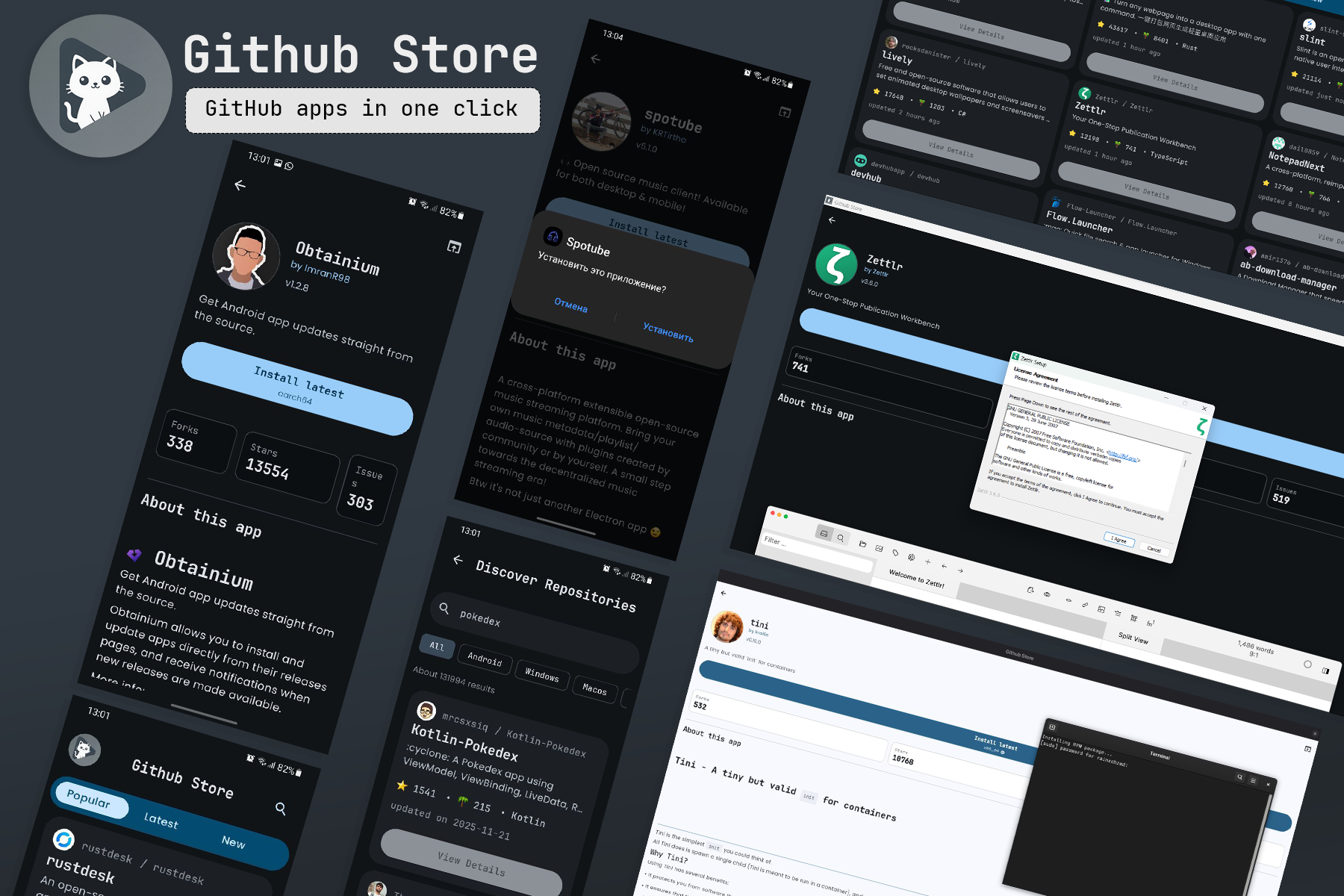
软件特点
GitHub Store 是一个使用 Kotlin Multiplatform(Android + Desktop) 构建的应用,它将 GitHub Releases 转换为类似应用商店的体验。
- 仅显示包含 真实可安装资源 的仓库
(APK、EXE、DMG、AppImage、DEB、RPM 等)。 - 自动识别你的平台并提供正确的安装文件。
- 始终安装最新发布版本,显示更新日志, 并在 Android 上提供更新提醒。
- 提供美观的详情页,包含统计信息、README 和开发者信息。
软件功能
-
智能发现
- 首页提供 “Trending / Recently Updated / New” 分类(基于时间的筛选)。
- 仅显示包含有效安装文件的仓库。
- 平台感知排序,为 Android / Desktop 用户优先展示相关应用。
-
安装最新版本
- 使用
/releases/latest获取每个仓库的最新版本。 - 仅展示最新发布中的安装资源。
- 提供一个 “Install latest” 按钮,以及该版本的全部可下载文件。
- 使用
-
丰富的详情页
- 应用名称、版本、“Install latest” 按钮。
- Star 数、Fork 数、未关闭 Issue 数。
- 渲染后的 README(作为应用介绍)。
- 支持 Markdown 的最新发布说明。
- 带平台标识和文件大小的安装文件列表。
-
跨平台体验
- Android:打开系统安装器安装 APK, 在本地数据库中跟踪安装状态,并提示更新。
- Desktop(Windows / macOS / Linux): 将安装文件保存到下载目录,并使用系统默认程序打开。
-
外观与主题
- 全平台采用 Material 3 Expressive 设计。
- Android 支持 Material You 动态配色(如可用)。
- 可选 AMOLED 黑色模式,适合 OLED 屏幕。
-
安全与检查(Android)
- 可选 GitHub OAuth(设备码流程)登录,用于提高 API 限额。
- 安装前可通过 “Open in AppManager” 检查 APK 的权限与追踪器。
更新日志
🎨 Komi Store 1.9.2 — Meet Manga, a whole new look
🖌️ New: Manga personality
Komi Store can now wear a completely different skin. Manga is a bold, inked, comic-panel look — loud display type, paper-textured Day / Night / Nord themes, and hand-drawn energy across the whole app. Switch between the classic Material look and Manga anytime in settings; your accent color and theme come along for the ride.
✨ Also New
- Explore tab — a fresh daily feed of installable apps for your platform that loads more as you scroll, so there's always something new
- Top Charts tab — see what's trending, just released, and most popular, ranked across the whole store
🐛 Bug Fixes
- App downloads now auto-pick the build that matches your device's CPU (like aarch64) instead of defaulting to a larger universal APK
- Windows: GitHub sign-in works again — the desktop app reliably opens and finishes login after you authorize in your browser
- Linux: fixed the app not launching from the menu on some setups (like Arch/KDE), caused by a mismatched desktop-shortcut name



支持中文不?