 Puresys纯净系统-软件下载
介绍
官方网站:https://rayburst.pages.dev/
Motrix Next 现已更名为 Rayburst。建议在安装 Rayburst 前卸载旧版桌面应用。设置、任务和历史记录不会导入;请保留已下载的文件。应用内更新可能会导致两个应用同时安装或保留旧快捷方式。
软件截图
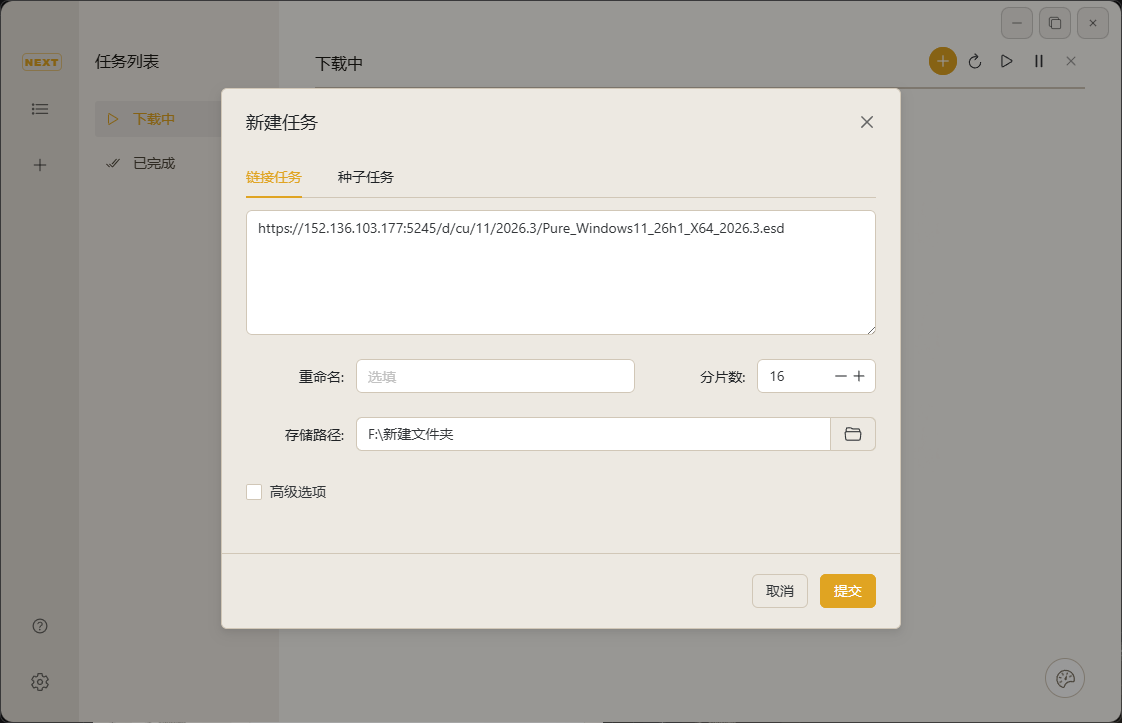
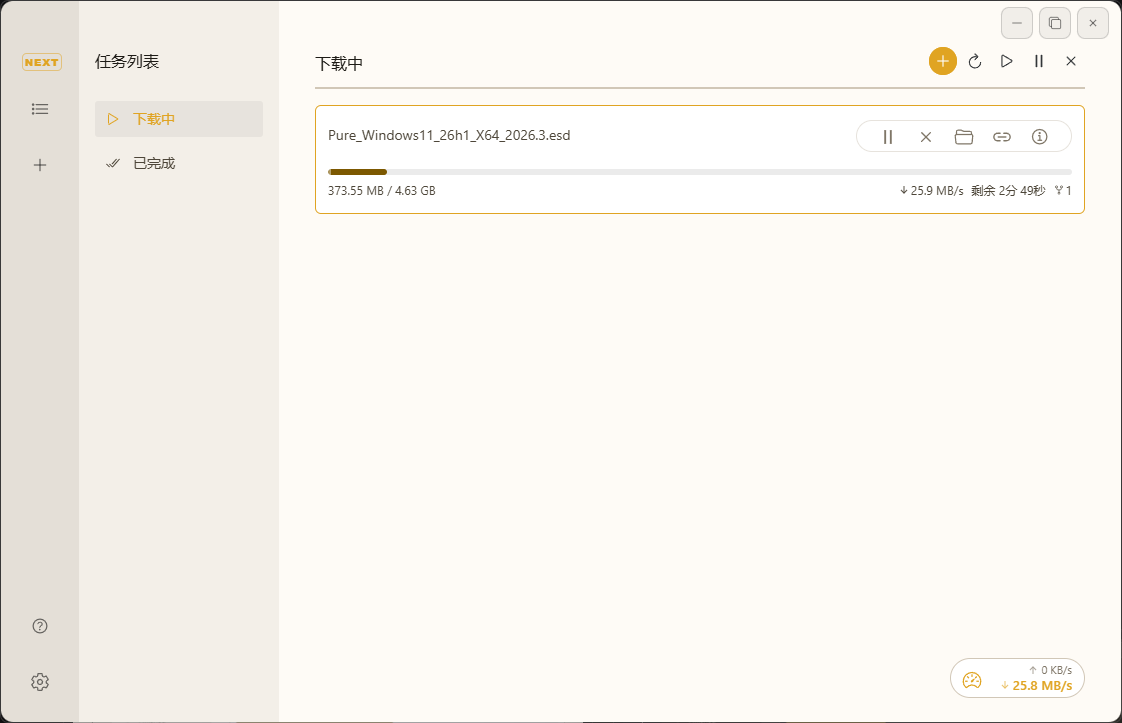
软件特点
一个过渡和微交互都经过精心调整,以遵循Material Design 3运动指南:
- 非对称时间轴——进入动画略长于退出动画,让新内容有时间呈现,同时让已关闭的内容快速消失
- 强调缓动曲线——进入时减速(
cubic-bezier(0.2, 0, 0, 1)),退出时加速(cubic-bezier(0.3, 0, 0.8, 0.15)),替换整个代码库中的通用ease曲线 - 基于弹簧的模态框— 对话框使用物理建模的弹簧动画,带来自然且灵敏的交互体验
- 一致的运动代币——所有时长和曲线均定义为CSS自定义属性,确保12个以上组件的统一节奏
- 多性向协议下载— HTTP、HTTPS、SFTP、ED2K、BitTorrent、Magnet以及
.torrent任务 - HLS与DASH— 原生音轨选择、字幕、直播录制、可恢复媒体下载以及MP4/MKV输出。详见媒体下载.
- BitTorrent— 选择性文件下载、DHT、对等节点交换、加密控制、元数据缓存、GeoIP对等节点标记以及tracker探测
- 浏览器扩展集成— 内置扩展API,支持独立身份验证、下载确认、智能自动提交、文件名提示、Referer/Cookie转发及实时控制(Rayburst Connect)
- 安全文件名处理— Content-Disposition、RFC 2047、非UTF-8编码、百分号编码及无扩展名URL解析,并具备路径遍历清理功能
- 下载组织— 收藏与最近文件夹、可选的文件类型分类、过期记录清理,以及基于SQLite的完成历史记录
- 并发下载— 活动任务、流连接和BitTorrent对等体的独立限制
- 速度控制— 全局及按任务的上传/下载限制,支持按星期和时间段调度
- 系统集成— 托盘操作、可选的托盘速度显示、macOS Dock 徽章/进度条、协议处理程序
magnet://,ed2k://,thunder://,以及rayburst:// - 轻量模式— 最小化至托盘时销毁WebView,同时保持Rust引擎、任务监控、通知、历史记录和扩展路由运行
- 通知与电源选项— 原生任务开始/完成/失败通知,下载期间保持唤醒,以及完成后可选关机
- 网络控制— 支持下载、应用更新和追踪器更新的范围代理,以及系统代理检测
- 自动更新频道— 跨频道Stable、Beta和Latest策略,包含独立的下载和安装阶段
- 诊断— 结构化日志、可导出的诊断ZIP文件、数据库完整性检查以及Linux GPU渲染回退机制
- 个性化设置— 支持浅色/深色/系统主题、10种配色方案、27种语言,以及首次启动时的系统语言自动检测
- 原生桌面应用— Tauri 2 搭配 Rust 后端
更新日志
v4.0.1
✨ New Features
- Preview and edit filenames before downloading, with optional remote filename lookup.
- Rename completed single-file downloads from task details, with collision protection and recoverable history updates.
- Install Rayburst Connect for Chrome, Edge or Firefox from the new Extensions sidebar panel.
🛠 Improvements
- Choose whether browser downloads ask for confirmation, start in the background or show Rayburst. Confirmation is the default.
- Simplify update channels to Stable and Beta. Beta selects the newest version across both channels; neither channel offers downgrades.
- Bundle Aria2 Next 2.8.6, with background disk I/O, transactional recovery checkpoints and improved handling of interrupted or compressed HTTP responses.
- Support hostname patterns in proxy bypass rules and improve filename detection across redirects.
- Refresh the website with interactive product previews, localized copy and a promotional film.
🐛 Bug Fixes
- Prevent concurrent downloads from sharing an output file or resuming another task's partial data.
- Fix retries and re-downloads that rejected full output paths as invalid filenames
- Restore automatic magnet file selection for browser submissions and after reopening the window. Preserve pending selections and Choose Later choices.
- Remove empty task subdirectories when deleting downloaded content, while preserving download roots, shared files and nonempty directories.
- Prevent long filenames from wrapping vertically in task details; add ellipsis, full-name tooltips and horizontal scrolling
- Preserve browser download URLs and confirmation IDs, and keep the Windows app running independently of its browser launcher.
- Keep verified update packages available after installation failures and prevent older update checks from replacing newer results.
- Register Windows file and public protocol handlers without replacing existing defaults, and support native mouse, pen and touch window dragging.
- Repair Linux tray activation and menus, add a targeted NVIDIA Wayland startup workaround, and include native WebKitGTK diagnostics.
- Fix the Windows engine crash when starting HTTP/HTTPS downloads in the earlier 4.0.1 betas.
Known Issue
- Some Linux NVIDIA/Wayland systems still show page-transition flicker



这个下载工具更新的太频繁了
你好,这个下载器怎么版本又退回3.7了啊
不能自动接管浏览器下载