Puresys纯净系统-软件下载
介绍
官方网站:https://github.com/mnardit/beetroot-releases/
在快节奏的工作流中,高效的剪贴板管理往往能决定效率的上限。如果你发现 Windows 自带的剪贴板历史(Win+V)功能捉襟见肘 —— 历史记录有限、重启即失、缺乏搜索和高级处理功能,那么 Beetroot 或许正是你在寻找的解决方案。
Beetroot 是一款专为 Windows 10/11 设计的免费剪贴板增强工具。它不仅仅是一个历史记录列表,更是一个集成了持久化存储、智能搜索、OCR 文字识别、AI 文本变换以及来源追踪的全能工作台。正如其宣传语所说:“这是 Windows 本该内置的剪贴板管理器。”
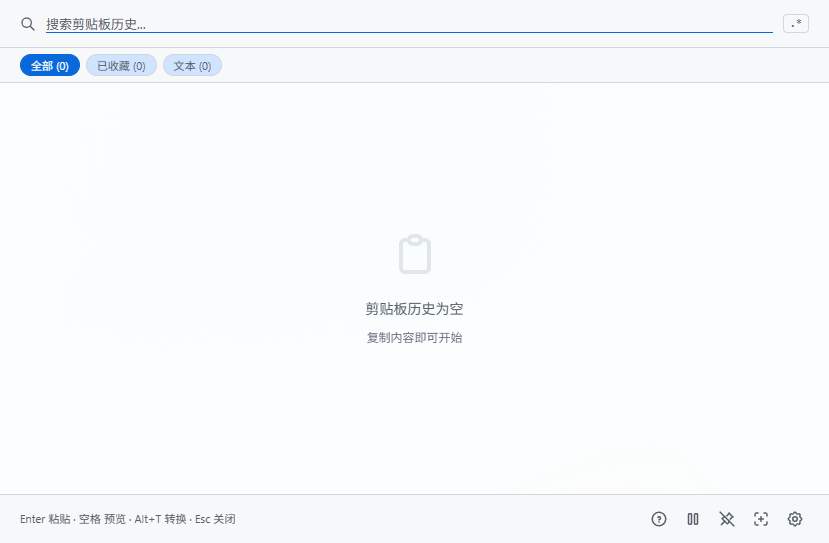
软件截图
软件特点
1. 强大的搜索与工作流引擎
Beetroot 内置了重写后的五阶段搜索引擎,能够智能处理你的查询:
精确匹配 → 词首令牌 → 元数据 → 模糊匹配。
支持正则表达式(Regex),并高亮显示匹配项,适合开发者处理代码片段。
自动为 URL、邮箱、代码、JSON、颜色值添加标签。利用机器学习模型(基于 VS Code 的 TensorFlow.js)自动检测 54 种编程语言的代码片段,并提供预览。
无需打开窗口,直接通过 Ctrl+1 到 Ctrl+9 粘贴最近的项目。
2. AI 驱动的文本变换
这是 Beetroot 最具竞争力的功能之一。你可以选中任何文本片段,一键进行 AI 处理:
支持 OpenAI、Gemini、Claude、DeepSeek 等云端提供商,也完美支持 LM Studio 和 Ollama 等本地模型,确保数据不出本地。
提供语法修正、翻译、总结、重写、数据提取、代码格式化等 10 种内置提示词。
用户可创建多达 20 个自定义提示词,并通过右键菜单快速访问。
自动处理如 Qwen3、DeepSeek R1 等推理模型的思维链标签(<think>),直接输出结果。
3. 完整的来源追踪与 OCR
每一条剪贴记录都标记了来源应用的图标、名称和窗口标题。你可以按应用筛选历史记录(例如:“只看来自 Chrome 的链接”或“只看来自 VS Code 的代码”)。
右键点击任何图片剪贴项,即可使用 Windows 原生引擎提取文字。完全离线,不上传云端,瞬间完成且不卡顿界面。
4. 极致的可靠性与隐私
所有数据存储在本地 SQLite 数据库中,默认位于 %APPDATA%\com.beetroot.desktop\。即使电脑重启,历史记录依然存在。
采用“3 副本轮换”机制,并在每次更新前创建快照。如果检测到数据损坏,会自动静默恢复。
完全免费,无广告、无试用限制、无功能锁、无遥测。除非你主动使用云端 AI 并输入自己的 API Key,否则没有任何数据会离开你的电脑。
5. 高度可定制化
提供包括 Tokyo Night、Gruvbox、GitHub Light、Cyberpunk 以及纯黑 OLED 模式在内的 9 种精美主题,支持自动跟随系统。
支持 Mica、Acrylic(亚克力)或纯色背景,自动适配 Windows 版本。
界面支持包括中文、日文、俄文、德文等在内的 26 种语言。
所有快捷键均可在设置中重新映射,完美支持 AZERTY、QWERTZ 等特殊键盘布局。
更新日志
v1.6.6
Highlights
- Excel / Word / PowerPoint cells now save as text — copying spreadsheet cells used to capture a screenshot; now they stay as
\t-separated text and paste correctly back. - 1Password / KeePass entries are correctly skipped — password manager copies were sometimes recorded; now reliably ignored via the
ExcludeClipboardContentFromMonitorProcessingmarker. - Microsoft Store autostart fix — autostart toggle now actually works for users who installed Beetroot from the Microsoft Store. (Affected 100% of Store users since launch on 2026-03-30.)
- Readable text on any custom accent color — yellow / lime / mid-grey accents no longer show near-invisible text. Foreground is picked by WCAG contrast ratio.
- Distinct fast clipboard copies no longer dropped — three quick distinct copies now create three history rows instead of being silently throttled.
Improvements
- "Copied" overlay no longer accidentally creates duplicate history rows when you click Copy in the preview.
- Settings save failures (e.g. browser storage full) now show a toast instead of silently reverting.
- Update banner shows real network errors instead of a misleading "You are up to date".
- Image previews are now generated server-side, dramatically reducing memory usage on lists with many images.
- Background AI job memory cleared after completion.
Bug fixes (selection)
- Plain-text paste hotkey now grabs the right target window.
- Escape reliably closes the window even when other keys are still held.
- Pasting into a UAC-elevated app now reports an error instead of silently failing.
- Previewing notes no longer saves them to the wrong item when you arrow-key away mid-edit.
- AI prompt submission failures now surface as a toast.
- Many smaller clipboard edge cases (image dedup, cross-type events, dedup TTL).