 Puresys纯净系统-软件下载
介绍
NTLite 是目前最实用的一款无人值守操作系统安装镜像制作工具。该软件界面简洁,使用方便。NTLite 的新一代版本,先将安装光碟或ISO影像档解压缩于文件夹,再以此软体加入资料夹或WIM软体,功能有自订线上安装项目、新增或移除Windows元件、本机硬体检查清单、驱动程式等。
NTLite 允许您删除你不希望或不需要安装的 Windows 组件。此外可以配置和整合,加快 Windows 部署过程和这一切为下一次设置。方便地集成应用程序安装程序、 脚本、 注册表改动或原始命令。提供一个沉默的开关和自动运行应用程序安装程序后安装。所有重要的警告,挂起的更改和操作
软件截图
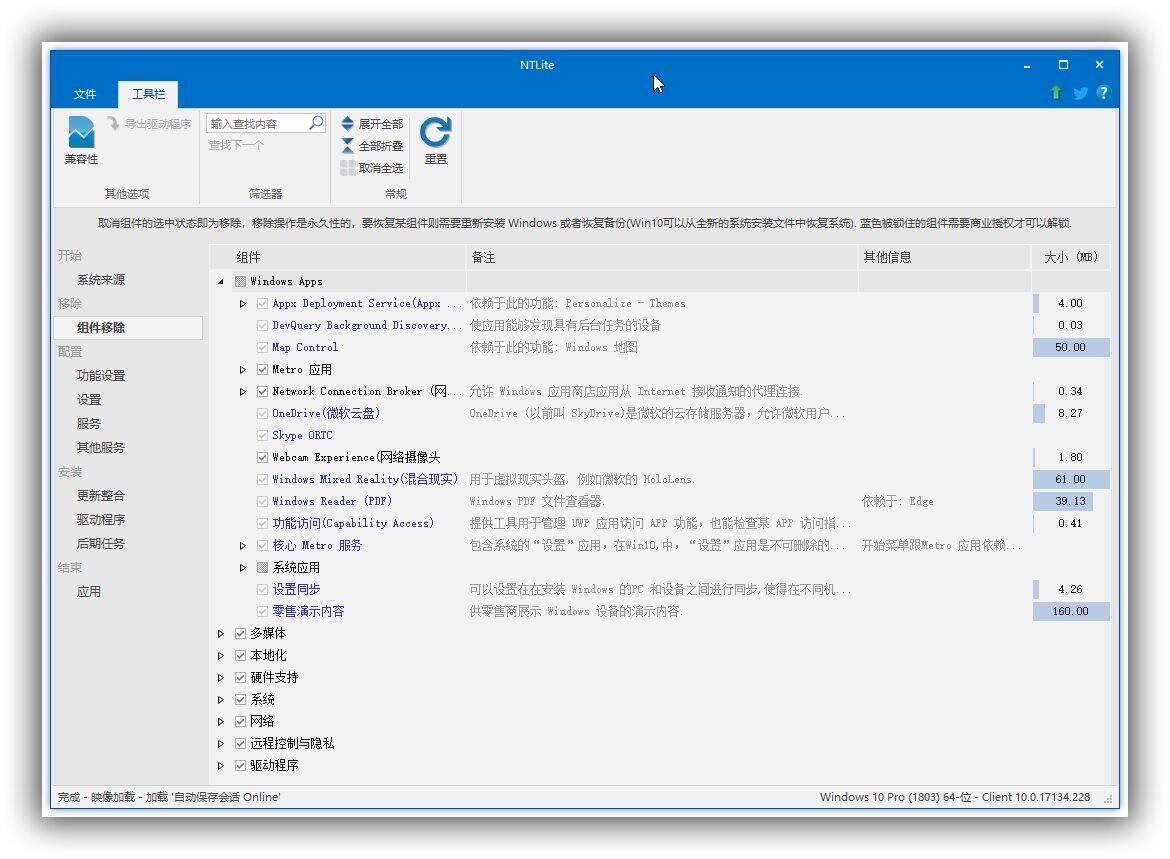
功能特色
1. 集成和自动化
整合更新,驱动程序,自动化的Windows和应用程序设置,加速比Windows部署过程,并拥有这一切集中的下一个时间。
2. 减少占用空间
有选择地删除Windows组件,简化了安装,减少攻击源,并释放磁盘空间。
3. 就地编辑
下一步,编辑图像,也可以做同样的动作在现有的Windows安装就地,并且不需要重新安装。
系统支持: Windows 7, 8, 8.1, 10 (32-bit, 64-bit).
更新日志
v2026.10.12522
New
- Components: 'User accounts (Legacy)', 32 and 64-bit
- Images: Live and Direct Windows can reapply/service their own WinRE in the same session, SafeOS updates included
- Updates: Support for the new type of cumulative updates like 26340.9577
- Updates: WinRE Boot Manager update support
- Updates: 'Contact Windows Update' Menu-Settings DISM option, off for images by default
- General: Unified 'Data folder' Menu-Settings option, default C:\ProgramData\NTLite instead of %TEMP%Locked to administrators along with NTLite's own files, for increased security
- Settings: Explorer > 'Pin to Quick access in context menu'
- Settings: Explorer > 'Take Ownership in context menu'
- Settings: Performance > Graphics > 'Auto HDR', 'Optimizations for windowed games'
- Settings: Privacy > 'Allow location override'
- Settings: Start Menu > 'Show account related notifications in Start', with a policy to turn off
- Settings: Start Menu > 'Show all pins by default'
- Settings: Storage > 'System Restore'
- Settings: System > 'Hide Home page in Settings'
- Settings: Visuals > 'Full-quality JPEG wallpaper'
- Settings: Windows Update > 'Adjust active hours' (Win10 1903+)
Upgrade
- Image: 'Download Image' feature simplified further
- Image: Images list sorts by last change, newest first
- Image: Isolated image New edit/Revert support
- Image: 'Show' filter on the Images list - All, Mounted or Missing/Invalid
- Image: Unload splits into 'Unmount' and 'Save' with mounted editions list
- Image: WinRE 'Sync' replaces every WinRE of the image, a red note counts the differing ones
- Components: Compatibility options list the components each one keeps on hover, unchecked first
- Components: 'Windows Backup' app split from Backup and Restore
- Post-Setup: Scheduled Tasks page moves from Remove to Configure
- Features: Support for newest Insider images, no longer miss listing features such as Hyper-V, IIS and Legacy components
- Settings: Security > 'App install control' gains a Policy level
- Settings: Tree regrouped, at most two levels deep
- Settings: Windows Update > 'Target release version' lists only the image's releases, 26H2 added'Get latest updates' clears the whole target
- UI: Processing time counts up live in the status bar
- UI: Offers to unblock NTLite in Windows Firewall when it cannot connect
- UI: 'Online docs' button moves to the title bar, opening the current page's docs, dialogs too
- UI: Reset menu on every page, by tab or section, to Default, Preset or Clear
- UI: Uninstaller lists cache, log and temporary folders to clean up
- UI: Icons colorized
- Command line: /SaveDest exports an image by /Path and /Index without /Load
- Translation: Thanks for Chinese Traditional (Matt), French (tistou77), Italian (clarensio) and Russian (RDS)
Fix
- Components: Removing 'Shared Experiences' fixed for StoreDesktopExtension.exe error
- Components: Removing 'Tips (Get Started)' or 'Windows Backup' clears its Start menu entry (24H2+)Live Windows for now, images to follow
- Components: 'Tips (Get Started)' listed on 24H2+
- Image: Manually unloading an image that holds the loaded WinRE no longer crashes
- Post-Setup: A preset's 'Hide cmd window' choice always loads
- Settings: Network > 'Network during setup' improved
- Settings: Performance > 'Variable refresh rate' no longer resets other DirectX graphics settings
- UI: Main window no longer turns blank when opening the menu after a taskbar restore in certain situations
- Unattended: Copy to image reaches every edition of the image, not just the starting one
- Unattended: Removing an account password after user is created with one, no longer makes Setup reject the answer file
- Unattended: Importing an answer file keeps every first-logon command, in its order
- Updates: Adding apps to Windows 10 1809 and older images no longer fails



感谢楼主
在官网下载新版本安装之后打开然后再打开NTLite_Business_portable_x64.7z这个版本就可以破解最新版2025.11.10675.0这个版本已经测试过可以破解
安装的时候勾上Portable Mode (no uninstall support)
你这个操作都不行瞎说
是可以的,官网下载的版本安装之后打开放在后台,然后再打开Business_portable这个版本的就可以了
安装了官网最新版本之后打开,最小化,再打开portable的版本,官网版的并没有激活啊?
有没有可能激活的是你从压缩包里打开的那个
详细一些
确实可以,感谢楼主
原来是看错了,本以为可以,后来删除了重新再弄,发现无论如何都不行,换台电脑也不行。
最新版本有没有办法破解,2025.11.10675.0这个版本太老了,最新的win11删除驱动不行~
感谢分享 ,PJ版虽然版本低了点,还是很有用
都是旧版本没有用的必要。用旧版本还不如msmg呢
https://www.123pan.com/ps/R7OJTd-tOnp3.html
发你妹的付费资源?隔这里赚钱呢
哪个是破解的敢不敢直接说,网盘整一堆,下哪个啊?
带P的或者是portable是破解的 什么ntlite...exe都是官方安装原文件