Puresys纯净系统-软件下载
介绍
OpenOffice是一套跨平台的办公室软件套件,功能非常强大,能在多个操作系统上执行,不仅可完成WORD的基本操作,EXCEL的图表操作,还增加了编写网页及数学方程等特色功能。OpenOffice是一款免费软件,大家可放心下载使用。
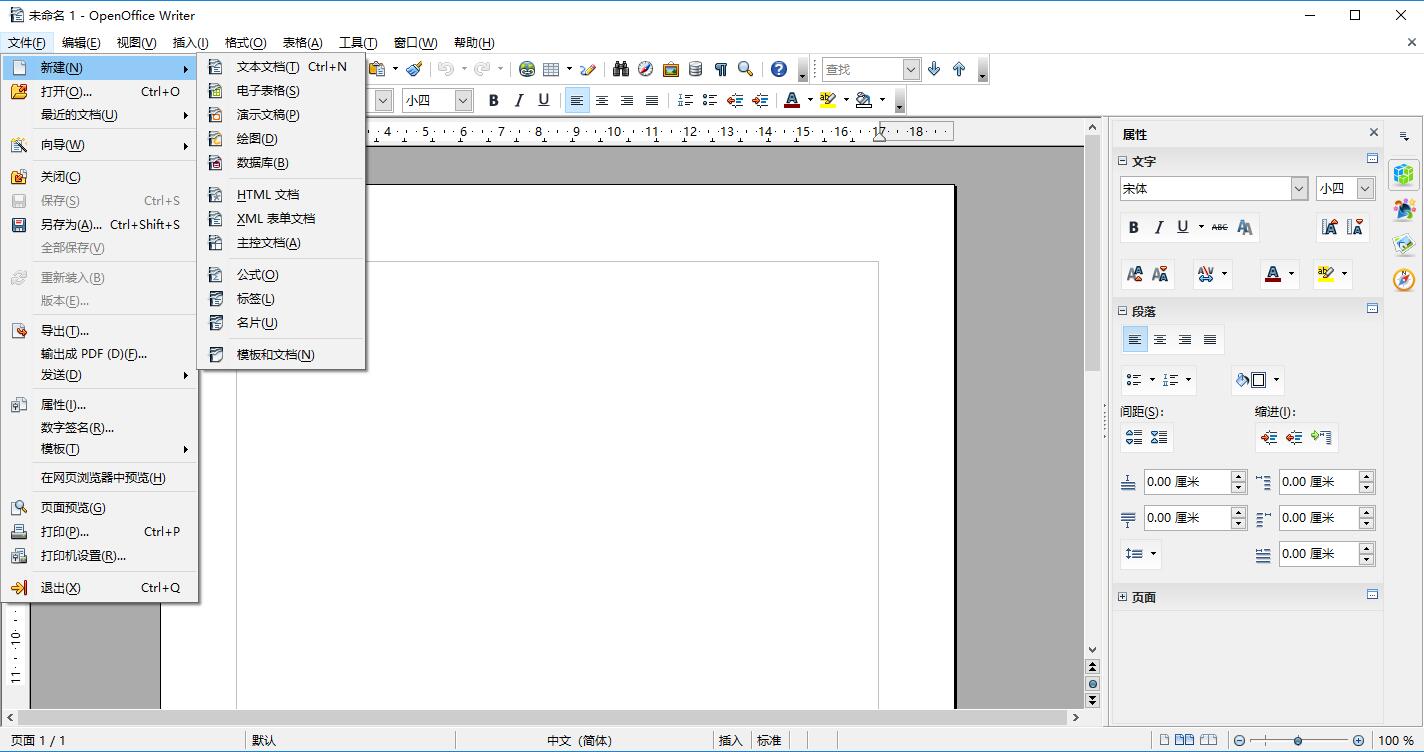
软件截图
软件特点
1、所有的包有类似的外观,易于使用,如“样式”等“一次学会到处使用”的工具。OpenOffice org保持与您的电脑类似的外观——您一旦改变您的桌面,OpenOffice org也会相应改变。
2、组件间的相同工具用法相同——例如, Writer 里面使用的绘图工具在 Impress 和 Draw 里面您也能用到。
3、您不必知道哪个应用程序用于创建哪个特殊文件——您使用“文件”就可以“打开”任何openOffice org 文件,正确的应用程序将会运行。
4、所有的包共享一个拼写检查工具,如果您改变一个组件包里面的“选项”,在其他组件包里也会同时改变。
5、所有组件间资料可以轻松转移。
6、所有的组件文件可储存为 OpenDocument 格式(新的办公文档国际标准),这种基于 XML 的格式相比同类产品的格式,磁盘存储更合理,任何兼容 OpenDocument 标准的软件均可以访问您的数据。(注:Google的网上办公软件使用 OpenDocument 格式。)
7、使用安装程序,所有组件可以一次性安装。
8、所有发布的版本都基于相同的开放许可证——没有隐性费用
更新日志
Apache OpenOffice 4.1.16
Nov 10, 2025
Improvements/Enhancements:
Other Improvements/Enhancements:
Addition of AES-256 encryption in ODF 1.2 documents
Autotext templates for Turkish
Removal of unused “bmpmaker” module
Increased MathML compatibility
Removal of automatic check for updates that caused deadlocks on MacOS
No other improvements for this release.
Bug Fixes:
Highlighted Improvements/Enhancements:
Openoffice app will never finish to load while searching updates
Zoom slider disappears after changing page/slide in Draw/Impress
Base does not properly parse CSV files as per RFC-4180 (while Calc does)
control files have bad permissions
Untranslated objects names in AutoTexts (pt_BR)
Cut and Paste of fontwork performs a copy and paste
Swedish translation of above/below in relative references are switched
Slide show 1st hide slide
tooltip on footnote-signs need line-break
Text entry or CSV import treats $.nn as text
Customize: wrong icon for “help”
Crash at startup in fontconfig functions when certain fonts are installed
Recent documents – clear list only hides entries but do not delete it in real
Enable fallback URL for dejavu package
Change from “InsertFormula to “Import Formula” is incomplete
Help, Impress/Draw – wrong icons for styles in the Styles and Formatting topic
Typo in Italian list of gradients
Recently Used panel – redundant item in the context menu