 Puresys纯净系统-软件下载
介绍
Sumatra PDF是一款免费开源的轻量级PDF阅读器,体积小、速度快、绿色便捷、单执行文件,不写注册表项。SumatraPDF支持打开PDF、ePub、MOBI、XPS、DjVu、CHM、CBZ、CBR格式文件。它的优点在于简洁的界面,没有注释功能,没有导出TXT功能,功能极度精简,专注于PDF文件的浏览阅读。可以查看中文PDF,除了支持pgup/pgdn翻页外,还可以用p/n (previous,netx)翻页。
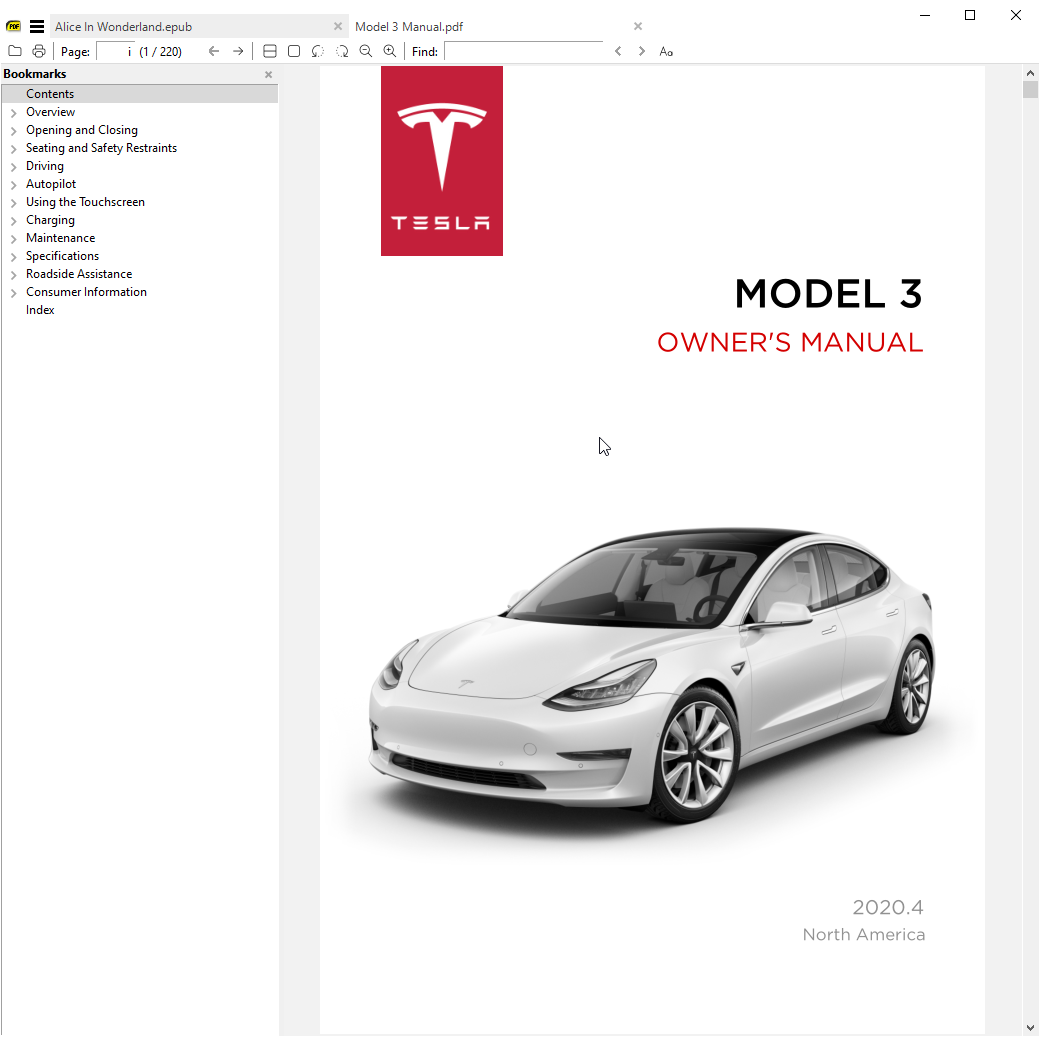
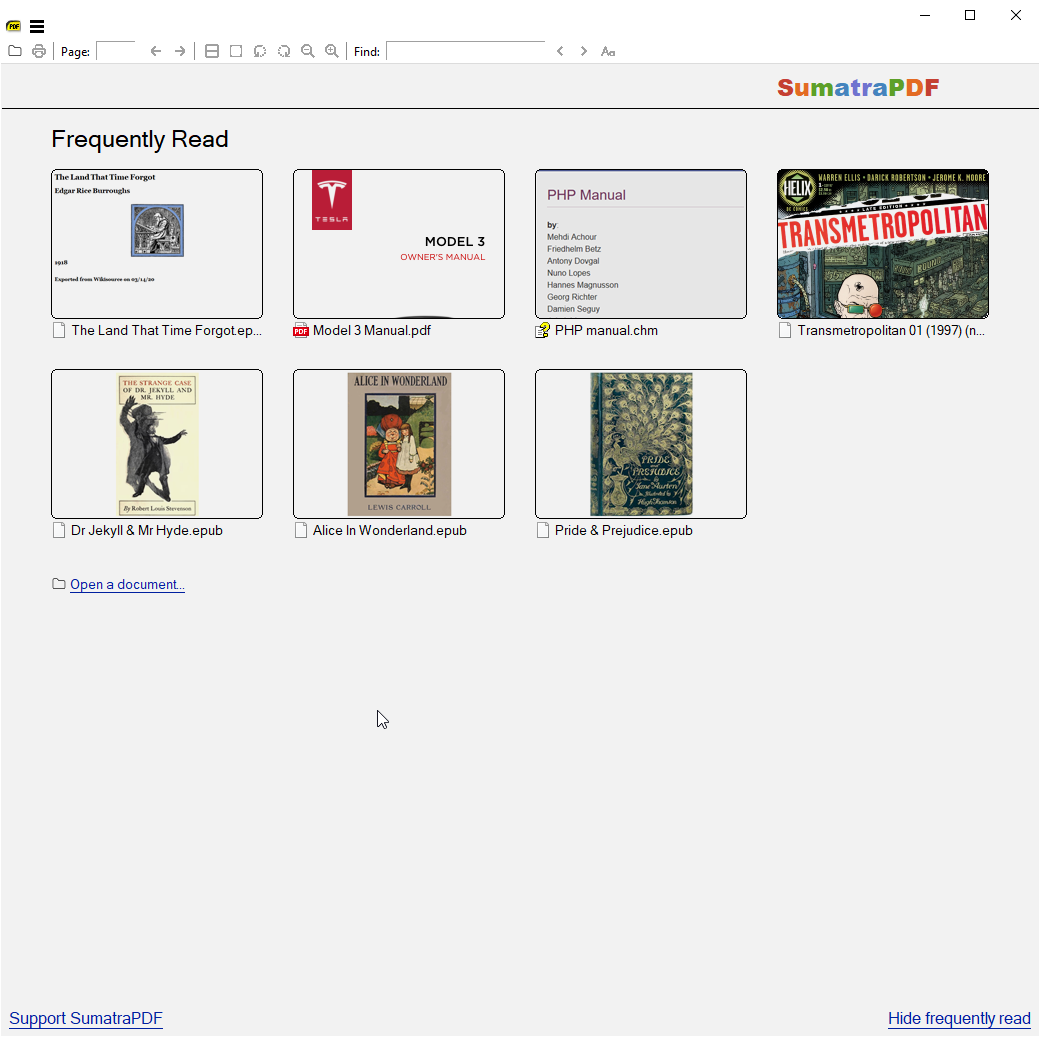
软件截图
软件特点
界面简洁轻量:SumatraPDF采用简洁的界面设计,操作简单直观,不占用过多系统资源。
快速加载速度:SumatraPDF加载PDF文档的速度很快,用户可以迅速访问文档内容。
多平台兼容性:SumatraPDF支持Windows操作系统,可以在各种Windows设备上使用。
开源免费:SumatraPDF是免费的开源软件,用户可以免费下载、使用和分享。
支持多种文件格式:SumatraPDF不仅支持PDF文件,还支持其他常见的电子书格式,如ePub、MOBI、CBR等。
软件功能
支持浏览PDF文档:SumatraPDF可以快速加载和显示PDF文档,用户可以方便地浏览文档内容。
支持打印PDF文档:SumatraPDF支持直接打印PDF文档,用户可以选择打印范围和打印设置。
支持搜索文档内容:用户可以通过关键字搜索文档内容,快速定位到所需信息。
支持查看书签和目录:SumatraPDF可以显示文档的书签和目录,方便用户快速导航和定位。
支持全屏模式和阅读模式:用户可以选择全屏模式和阅读模式,提升阅读体验。
更新日志
3.6 (2026-03-17)
- add
DisableAntiAliasadvanced setting andCmdToggleAntiAliascommand - add
CmdShowAnnotations,CmdHideAnnotations,CmdToggleShowAnnotationscommands for temporarily hiding / showing annotations - add
CmdToggleInverseSearchto temporarily disable mouse click invoking tex inverse search - add
bgcolor,opacity,textsize,borderWidtharguments toCmdCreateAnnot*commands - add
Annotations.FreeTextBackgroundColorandAnnotations.FreeTextOpacityadvanced settings - sort thumbnails on home page by most recently used date. Set advanced setting
HomePageSortByFrequentlyRead = trueto revert to pre-3.6 behavior of sorting by frequency of use. - support brotli compression in PDF files
- in Command Palette, if you start search with
:we show everything (like in 3.5) - in Command Palette, when viewing opened files history (#), you can press Delete to remove the entry from history
- improved zooming:
- zooming with pinch touch screen gesture or with ctrl + scroll wheel now zooms around the mouse position and does continuous zoom levels. Used to zoom around top-left corner and progress fixed zoom levels shown in menu
- include manual (
F1to launch browser with documentation) - add
LazyLoadingadvanced setting, defaults to true. When restoring a session lazy loading delays loading a file until its tab is selected. Makes SumatraPDF startup faster. - new commands in command palette (
Ctrl + K):CmdCloseAllTabs: “Close All Tabs”CmdCloseTabsToTheLeft: “Close Tabs To The Left”CmdDeleteFile: “Delete File”CmdToggleFrequentlyRead: “Toggle Frequently Read”CmdToggleLinks: “Toggle Show Links”CmdInvokeInverseSearchCmdMoveTabRight(Ctrl + Shift + PageUp),CmdMoveTabLeft(Ctrl + Shift + PageDown) to move tabs left / right, like in Chrome
- add ability to provide arguments to some commands when creating bindings in
Shortcuts:- CmdCreateAnnot* commands take a color argument,
openeditto automatically open edit annotations window when creating an annotation,copytoclipboardto copy selection to clipboard andsetcontentto set contents of annotation to selection CmdScrollDown,CmdScrollUp: integer argument, how many lines to scrollCmdGoToNextPage,CmdGoToPrevPage: integer argument, how many pages to advanceCmdNextTabSmart,CmdPrevTabSmart(Smart Tab Switch), shortcut:Ctrl + Tab,Ctrl + Shift + Tab
- CmdCreateAnnot* commands take a color argument,
- added
UIFontSizeadvanced setting - removed
TreeFontWeightOffsetadvanced setting - increase number of thumbnails on home page from 10 => 30
- add
ShowLinksadvanced setting and “Toggle Show Links” (CmdToggleLinks) for command palette - default
ReuseInstancesetting to true - added
Keyarg toExternalViewersadvanced setting (keyboard shortcut) - added
Keyarg toSelectionHandlersadvanced setting (keyboard shortcut) - improved scrolling with mouse wheel and touch gestures
- theming improvements
- go back to opening settings file with default .txt editor (notepad most likely)
- don’t exit fullscreen on double-click. must double-click in upper-right corner
- when opening via double-click, if
Ctrlis pressed will always open in new tab (vs. activating existing tab) - register for handling
.webpfiles - bug fix: Del should not delete an annotation if editing content
- bug fix: re-enable tree view full row select
- change:
CmdCreateAnnotHighlightetc. no longer copies selection to clipboard by default. To get that behavior back, you can usecopytoclipboardargument instead. - change:
Ctrl + Tabis nowCmdNextTabSmart, wasCmdNextTab.Ctrl + Shift + Tabis nowCmdPrevTabSmart, wasCmdPrevTab. You can re-bind it if you prefer old behavior CmdCommandPalettetakes optionalmodeargument:@for tab selection,#for selecting from file history and>for commands.- command palette no longer shows combined tabs/file history/commands.
CmdCommandPaletteonly shows commands. Because of that removedCmdCommandPaletteNoFilesbecause now `CmdCommandPalettebehaves like it - removed
CmdCommandPaletteOnlyTabs, replaced byCmdCommandPaletteNoFiles @ Ctrl + Shift + Kno longer active, useCtrl + K. You can restore this shortcut by binding it toCmdCommandPalette >command.- add
Namefield for shortcuts. If given, the command will show up in Command Palette (Ctrl + K) - closing a current tab now behaves like in Chrome: selects next tab (to the right). We used to select previously active tab, but that’s unpredictable and we prefer to align SumatraPDF behavior with other popular apps.
- swapped key bindings:
iis now CmdTogglePageInfo,Iis CmdInvertColors. Several people were confused by accidentally typingito invert colors, is less likely to type it accidentally - allow creating custom themes in advanced settings in
Themessection. See docs. - improve scrolling with middle click drag #4529
- make built-in keyboard shortcuts work on non-us keyboards (cyrillic , hebrew etc.)
- add
CmdDuplicateInNewTab(Open Current Document In New Tab) command



嗷!不错嗷!