 Puresys纯净系统-软件下载
介绍
官方网站:https://github.com/vnotex/vnote
VNote是一个基于qt的免费和开源的笔记型应用程序,专注于Markdown,VNote的设计是为了提供舒适的编辑体验,VNote不仅仅是Markdown的简单编辑器,通过提供笔记管理,VNote可以使记笔记更简单、更愉快。
软件截图
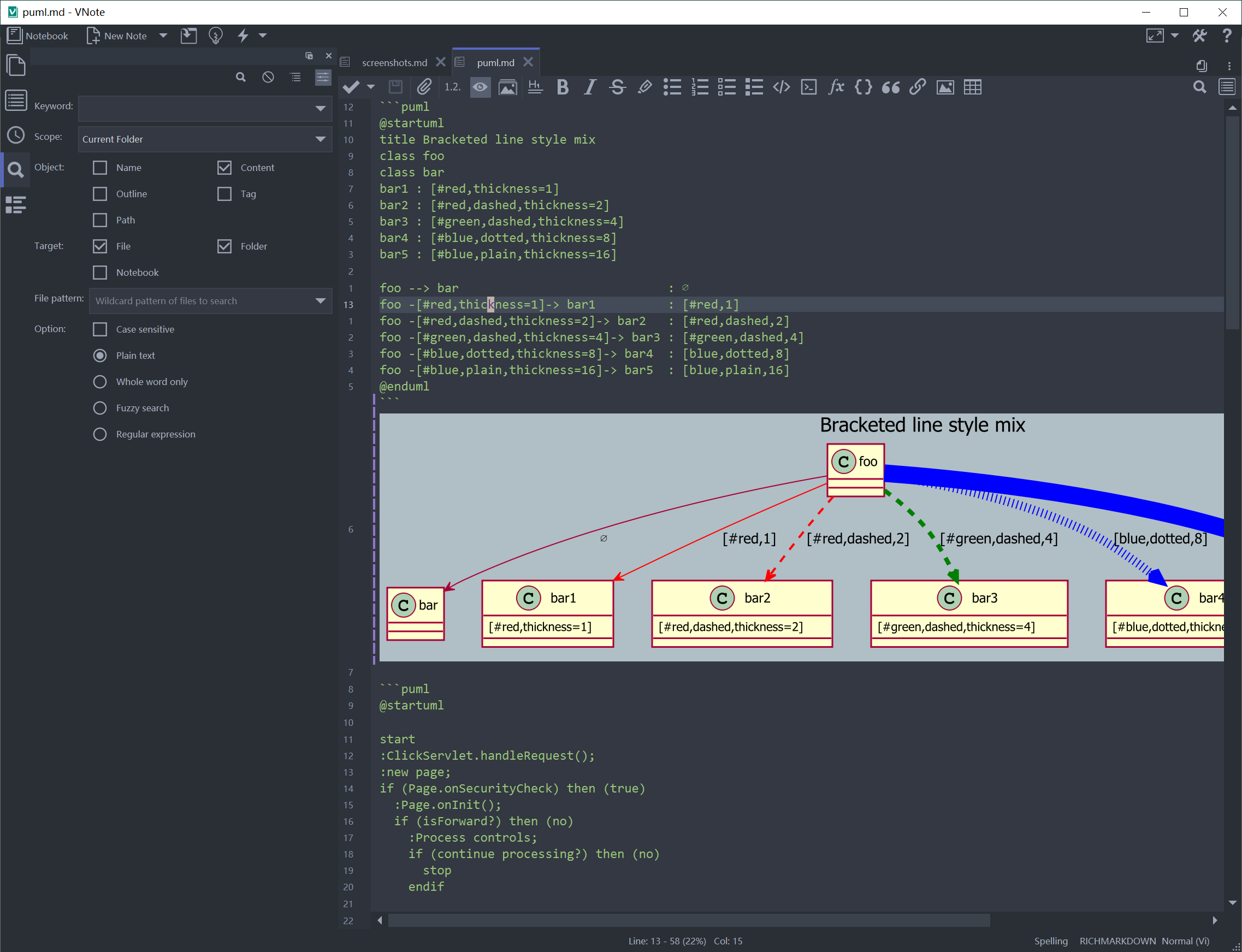
软件特点
强大的全文搜索;
通过输入来实现任何东西的通用输入;
直接从剪贴板插入图像;
在编辑和读取模式中,fenced代码块的语法高亮显示;
编辑和阅读模式的大纲;
编辑和读取模式的定制样式;
Vim模式和一组强大的快捷方式;
无限级别的文件夹;
多个选项卡和分割窗口;
美人鱼,流程图。js和MathJax;
支持HiDPI;
附件的笔记;
黑暗的主题和模式;
丰富和可扩展的导出,如HTML、PDF和PDF(全部在一);
更新日志
4.10.0
- Mind maps
- Add independent trees, full-branch duplication, and native node Copy/Paste with fresh IDs, preserved properties and internal links, visible selection and one-step undo
- Add recursive Expand All and Collapse All to node context menus, including in read-only maps; put Copy/Paste directly below node creation
- Add a layout menu and remember the default layout; support automatic section numbering with the shared editor numbering pattern
- Insert images and hyperlinks from the clipboard, drag-and-drop, toolbar and context menu through shared dialogs; preserve existing topics for links and insert multi-item batches as one undoable command
- Add icon and tag inputs to node context menus and Copy Link for node URLs; hide the unused Title field in mind-map image insertion dialogs
- Open inline editing by double-clicking a topic label or blank node space, including empty topics, without interfering with images or expand/collapse controls
- Honor rapid repeated expand/collapse clicks and keep hover feedback under a stationary pointer, including in read-only maps
- Prioritize 173 curated productivity, project, diary, office and engineering emoji, including numbered keycaps 0-10, while retaining the full Unicode catalog and category order; add search keywords and theme-aware selection, hover and keyboard-target highlights
- Make Shortcuts Help available from node and empty-space context menus, show its configured shortcut, and clarify the overlay instructions with bold key bindings
- Export
- Export mind maps as readable Markdown, native HTML with selectable node text and inline SVG connectors, or PDF; include independent trees and preserve peer-root heading structure
- HTML presents the full-width map at its natural size with topic links to continuous articles containing notes, images, icons, tags and links; PDF fits the map on the first page and keeps articles readable on subsequent pages
- Use the live editor snapshot for Current Buffer exports and disk contents for Current Note and batch exports; wait for PDF images and fonts before printing and report rendering, timeout and output failures
- Images and Markdown
- Open images in read-only tabs and expose image file associations in Settings
- View Markdown and mind-map images in overlays with zoom, pan and reset-to-fit controls; support read-only maps and close protected image previews when notes are locked
- Embed local images in WeChat and Evernote cross-copy, rasterize SVG graphs and MathJax, and render complete KaTeX formulas with embedded fonts and clear high-DPI output
- Preserve the edit cursor and selection when returning from Markdown read mode if the mapped position is already visible (#2768); add Select All to the read-mode context menu
- Encrypted notes
- Make newly encrypted notes and backups self-contained: each v2
.vnecarries its wrapped keys instead of depending on a shared notebook vault - Migrate legacy notes and backups on writable open without rewriting encrypted payloads; read-only opens leave files unchanged, shared master-password unlocking remains available, and old vaults are retained for unmigrated notes and historical copies
- Older VNote versions cannot read v2 encrypted notes
- Fix encrypted-note opens silently failing during notebook maintenance; self-contained notes no longer need a migration lease, and protected-open errors reach the unlock UI
- Make newly encrypted notes and backups self-contained: each v2
- Interface and reliability
- Remember Markdown read zoom, shared text-editor zoom and mind-map fixed or Fit zoom in session state; remove redundant Settings zoom controls and show whole percentages without reducing actual mind-map zoom precision
- Remember Comments and Tools dock sizes across editor switches and restarts, and use icon-only View and Settings menus in the main toolbar
- Closing a detached window closes its tabs instead of reattaching them to the main window
- Show note sizes in Properties using human-friendly units
- Remove obsolete attachment entries during Scan after external renames or deletions, even when no new files are found (#2771), and restore the Scan tooltip
- Keep Lucius tree selections distinct from hover highlights when unfocused and preserve text-selection visibility while hovering inputs and spin boxes
- Add testing-only
--no-single-instanceto bypass the instance lock and IPC; use a separate disposable portable profile and test data because configuration and notebooks are not isolated - Fix libgit2 runtime consistency and encrypted-note, sync-dialog and mind-map integration regression fixtures
- Translations: Simplified Chinese (zh_CN), Japanese (ja) and Korean (ko) catalogs updated