 Puresys纯净系统-软件下载
介绍
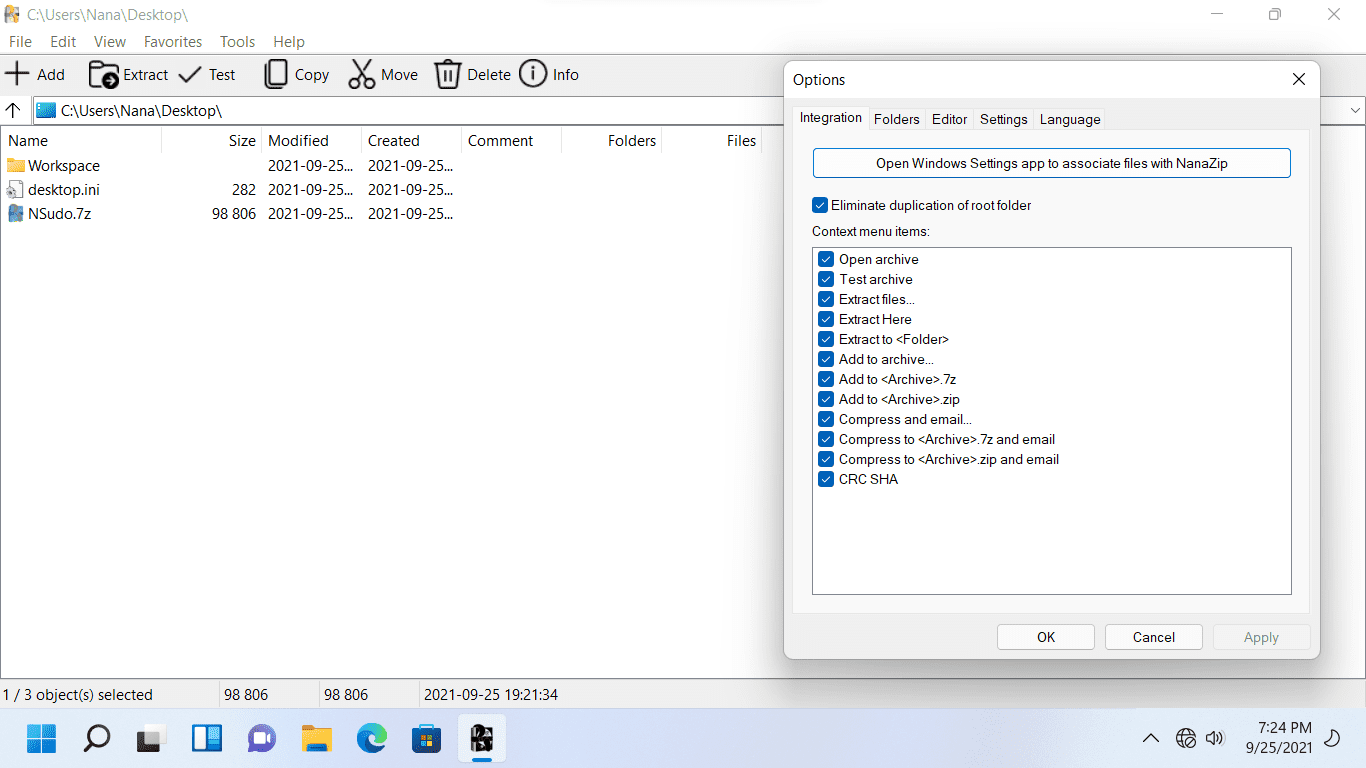
NanaZip 是一款基于 7-Zip 21.03 的开源压缩工具,最重要的特性是支持了 Windows 11 右键菜单,还在右键菜单中合并了查询文件哈希值菜单。
软件截图
软件特点
基於7-Zip 21.03的壓縮軟件,支持Windows 11右鍵菜單,支持中文
安装方法
步骤1:安装自签名证书。
下载附件中的MouriNaruto.cer,并在以管理员身份运行的命令提示符中执行Certutil-addStore Root“[MouriNaruto.cer的路径]”。
步骤2:安装NanaZip
下载NanaZipPackage_1.0.31.0_x86_x64_arm64.msixbundle并打开它。
更新日志
- Add fix for wrong password on all Zip archives. (Contributed by dinhngtu.)
- Update Brazilian Portuguese translation. (Contributed by maisondasilva.)
- Use Mile.DotNet.Helpers instead of Mile.Project.Helpers.
- Update Mile.Mobility to 1.1.678.
- Update Mile.Windows.Internal to 1.0.3729.
- Update Mile.Detours to 1.0.2442.



这个微软商店就有,也是免费的,怕这种安装证书自己弄不安全的话,可以直接从商店在线安装,这个软件可以跟bandizip一样智能解压缩,只能说用过的都懂,这个软件是基于7Z开发的,据说作者是远景论坛的一个大拿
WinRAR,自己动手去掉广告弹窗代码,加注册文件,就很完美了。
7-zip,把内部的界面图标和压缩包图标改了就很漂亮了,不改代码。
感谢提供
这种不敢用啊,怕浪费时间,还能比rar和zip优秀?