Puresys纯净系统-软件下载
介绍
官方网站:https://github.com/inkscape/inkscape
Inkscape 中文版是一款外国开发的开源矢量图形编辑软件,与 Illustrator、Freehand、CorelDraw、Xara X 等其他软件相似。Inkscape 是一套矢量图形编辑器,以自由软件授权发布与使用。该软件的开发目标是成为一套强力的绘图软件,且能完全遵循与支持 XML、SVG 及 CSS 等开放性的标准格式。Inkscape 是一套跨平台性的应用程序,Windows、Mac OS X、Linux 及类 UNIX 版等操作系统。
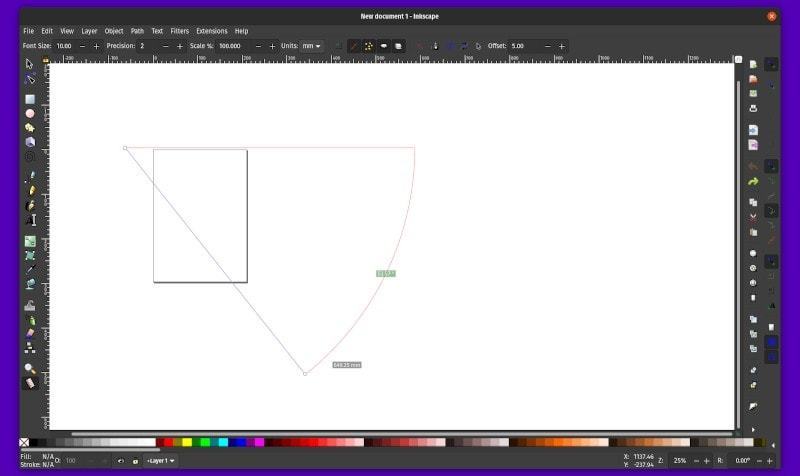
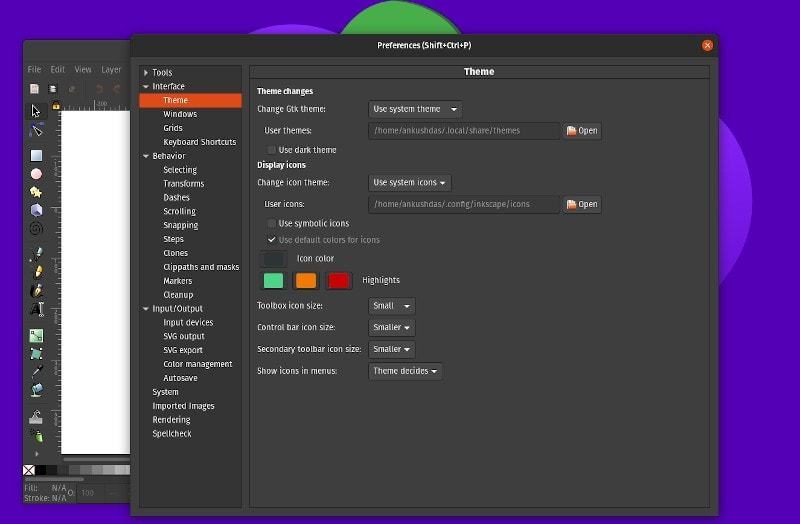
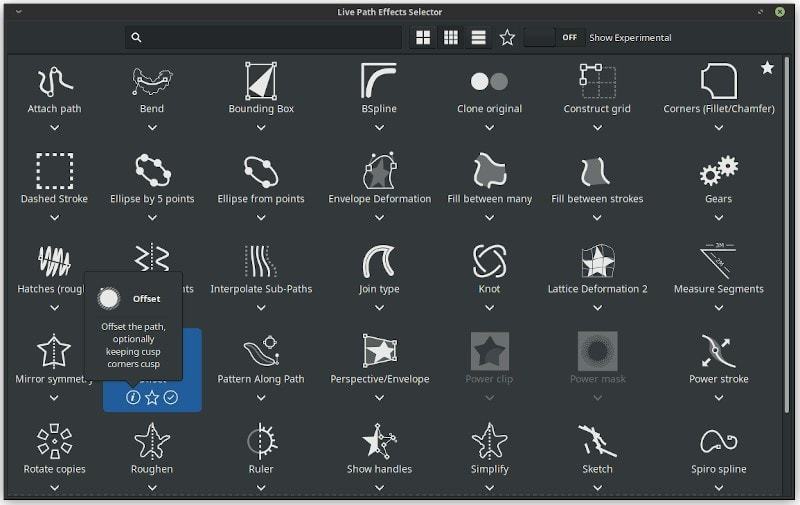
软件截图
软件特点
对象操作、运用
仿射变换/Affine transformation(移动、缩放、旋转、倾斜),可用交互操作也可通过数字值设置。
对象之间的层次关系(Z-order)[来源请求]操作。
对象群化、组群化,对于未群化设计的对象也可用同时多个对象的选取来选定性群化(select in group),“enter the group”则可使选定成为临时性的层阶。
层阶化(即:图层),运用此方式可以锁定及/或隐藏个别的层阶,重新排置层阶等等,层阶也可采行层次结构树的结构。
对象可以复制、粘贴。
对齐与分布指令,包括网格排列(拆散对象:尝试边对边等距)、随机排列(在两个维度上随机置中)、去除重叠。
通过工具可进行填色花纹的翻制,使用壁纸样本(wallpaper symmetries)加上可任意变化运用的缩放、偏移、旋转、色彩变换等,也可选择随机变化。
可快速辅助、导引操作的提示网格线。
填充与边框
选色器(RGB、HSL、CMYK、色圈)
取色工具、填色工具(滴管)
对象间复制/粘贴风格属性
可在画布上进行渐层编辑,包括线性渐层、放射状渐层等操控。
渐层编辑器能够进行多处的停点渐层(image gradient)。
花纹填充。
遮罩。
运用预先定义的泼洒花纹,可对边框进行花纹泼洒。
路径上的标示(如:箭头)。
路径上的操作
节点编辑:移动节点及贝兹曲线(Bezier curve)掌控,节点的对齐、分布,节点群的缩放、旋转,“节点雕刻”(多处节点的比例编辑)。
路径转换(文字对象或形样),包括路径充填的转换。
布林运算(合并/union、割去/intersection、交集/difference、排除/exclusion、分开/division)
运用可变的路径起讫点可简化路径。
路径插入及增设,包括动态及链接偏移对象。
路径剪贴(非破坏性剪贴)。
点阵追踪(黑白、彩色都适用)。
文字支持
多列文字(SVG 1.0/1.1 <text>)
在框内进行文字的直式书写(<flowRoot>,之前建议用SVG 1.2)
可完全在画布(绘图区)中进行编辑,包括风格文字的间距。
可使用任何已经安装于系统内的外框字体(outline font)
通过Pango库(例如处理希伯来文、阿拉伯文、泰文等文字)可支持使用任何的描述语言及编程语言。
字母上下突出端(Kerning)、字母间隔(letterspacing)、列间隔等的调整。
路径上可走文字(无论文字或路径都可持续再编辑)。
着色、上色
缩放倍数:1倍~256倍。
完整的抗锯齿显示。
支持“Alpha透明”,可用在显示以及.PNG格式图片文件的导出。
在交互转化上,完全“依据您所拖放”来为对象着色。
其他
用于绘图的连接器。
可在网络上使用协同编辑器(Collaborative real-time editor,例如:电子白板)
在 XML 编辑器中可直接观察与编辑文件树(document tree)。
导出成 PNG 文件。
导出成 PostScript 及 PDF(不过,花纹充填及灰阶等的导出,目前在0.44版上仍不管用)
可选择用命令行来运行会出、转换、或分析SVG档。
RDF 标记格式的元数据(作者、日期、授权等等)
支持插件(或称:扩展)。
更新日志
Released on May 6, 2026.
Inkscape 1.4.4 is a maintenance and bugfix release, which brings you 20 crash fixes, more than 25 bug fixes and performance improvements, a couple small new features, and comes with many updated translations.
Like its predecessor, it is also a bridge release in the sense that it can be used to convert the planned Inkscape 1.5 multipage file format to the pre-1.5 multipage format. Versions lower than Inkscape 1.4.3 will not be able to interpret pages created in Inkscape versions 1.5 and upwards. Opening a document in Inkscape 1.4.3 and saving it will convert it to the current ('old') page format (MR #7608).
Background: While the 'old' format of pages in Inkscape is a custom addition that only works in Inkscape, the new format will make use of the svg:view element, which is standardized and can work in other SVG viewers, too. Find more information about this in MR #7525.
The most important fixes and changes in this release are:
20 crash fixes, among them for three nasty bugs where Inkscape wouldn't even start
almost 20 other bug fixes
6 changes that improve performance
a new palette
a new button for rotating stars and polygons into their 'neutral' or 'upright' position
27 updated interface translations
15 updated documentation translations
installation files for Windows on Arm
Read all about Inkscape 1.4.4 in the release notes!
Known Issues
On macOS, if Inkscape has been started from the command line, extensions will not work (both in the graphical user interface as well as when only using the Inkscape commandline). Many import / export file formats provided by Python extensions are also affected. This is a security feature added in 1.4.3 for official macOS .dmg files, which fixes CVE-2025-15523. Learn more about it in our bug tracker.
On Wayland (display server), depending upon the Gtk version your system uses, a crash may occur when moving a docked tab, or closing a floating dialog. Trying to undock a dialog may result in the wrong dialog being undocked (Bug #6013, Upstream Gtk issue).
The Windows Store update will be delayed, potentially by a month.