 Puresys纯净系统-软件下载
介绍
官方网站:https://github.com/0x78654C/xTerminal
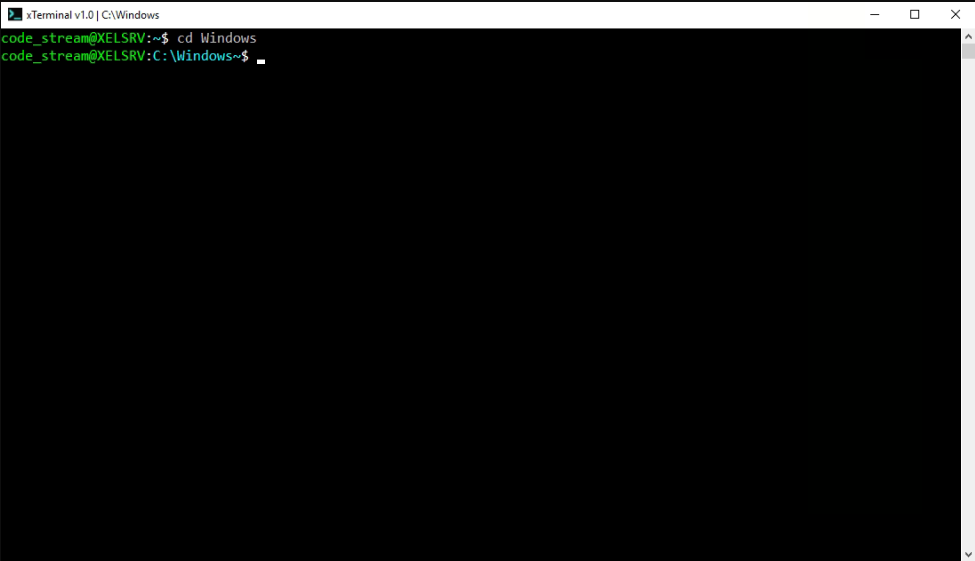
一个类似于 Linux 的 C# 中 Windows 终端,带有一些额外功能 :-)。xTerminal 是一种软件解决方案,它首先是开源的,可以轻松地集成到 Windows-Linux 开发或测试环境中。同时,该工具支持 C# 语法,更有效地满足开发者的需求。
软件截图
软件特点
谁可以使用此应用程序和用例场景
对于需要使用跨平台工具或操作系统的 Linux 开发人员和用户来说,xTerminal 是一个方便的解决方案。该应用程序支持从您的 Windows 操作系统中访问一个简单但功能齐全且实用的终端,该终端允许您使用 Bash 命令。
xTerminal 也非常适合 C# 开发人员。它允许您编写和编译给定的命令。您必须通过 MS 包管理器 NuGet,通过 Roslyn 为您的 C# 代码安装用于编译和使用代码分析方法的组件。
同时,您可以在 NeoVim 集成开发环境中使用该终端。 NeoVim 是一种软件解决方案,可充当解释器和代码编辑器,速度快且可定制。
可定制的用户界面和选项
与许多其他 Windows 终端(包括操作系统的嵌入式终端)一样,您可以通过“属性”窗口访问所需的自定义和设置窗口。
xTerminal 允许您更改光标大小、启用快捷功能、更改命令历史及其缓冲区大小、配置 UI(字体、文本和背景颜色等)等。
最后的考虑
xTerminal 是一个简约的解决方案,适合那些喜欢在舒适的空间内浏览系统和执行特殊命令的人。
半便携式应用程序是轻量级的,不会消耗太多系统资源。在程序的 GitHub 页面上,您可以浏览可用命令的整个列表。有关该项目的更多详细信息,您可以在 Github 上浏览 xTerminal 的可用命令和规范列表。
更新日志
xTerminal v3.0.8.0
xTerminal 3.0.8.0 adds IntelliSense for TermXT scripts in the built-in xte editor, improves C# editing responsiveness, and updates the TermXT scripting language to 1.0.2.
Highlights
- Added release notes to new-version notifications, displayed before the update confirmation prompt.
- Added automatic TermXT IntelliSense in
xtefor keywords, built-in functions, declared functions aftercall, and variables inside{...}or afterlines:. - Added usage hints, case-insensitive filtering, and automatic closing braces for variable completions. Variable suggestions also work inside quoted text.
- Added completion keyboard controls for TermXT and C#:
- Ctrl+Space opens suggestions manually in insert mode.
- Up/Down selects a suggestion.
- Enter/Tab accepts the selected completion.
- Esc closes suggestions; pressing it again returns to normal mode.
- Updated TermXT to version 1.0.2, adding
{argc}, parenthesized conditions, and compact expressions such as{count}>=2&&{count}<5. - Added the TermXT 1.0.2 Markdown and PDF manuals and a new
language_features.xtexample.
Fixes and improvements
- Moved C# semantic diagnostics into background processing and cached runtime assembly metadata to reduce pauses in
xte. Outdated analysis results are discarded when the document changes. - Fixed TermXT logical operator precedence, quoted condition text, and repeated condition interpolation. Operators inside substituted values remain literal.
- Improved argument parsing for quoted and empty arguments, tab separators, and literal
-ptext inside quotes. - Fixed TermXT function argument leakage and stale return values. Function calls preserve whitespace and quotes in variable arguments and restore the caller's positional arguments and
{argc}. - Fixed TermXT nested loop counters and integer-range overflow. Excessive function or condition nesting now reports an error.
- Improved
try/catchhandling in TermXT, failure propagation, and cleanup after exceptions. Failed pipeline stages stop later stages. - Fixed quoted file paths, empty file output, and substring bounds handling in TermXT.
- Shared structural validation between the interpreter and editor.
xt -checknow reports failure through the command error state, including when a script is missing. - Updated example scripts to use
{argc}for optional arguments and adjusted port-status matching innetaudit.xt.
Upgrade notes
Use {argc} to check for optional script arguments; missing arguments remain literal placeholders. Write empty comparison operands as "".
Conditions apply comparisons/not, then &&, then ||. Use parentheses when negating a compound condition. Each interpolated variable in a function call now remains one argument, even when its value contains spaces.
Scripts with invalid block structure, assignments, or duplicate function definitions are rejected before execution. Run xt -check <script.xt> to check existing scripts.