Puresys纯净系统-软件下载
介绍
官方网站:https://github.com/bostrot/wsl2-distro-manager
WSL 发行版管理器是一个免费和开源的应用程序,它提供了一个用户友好的图形界面来管理 Windows Subsystem for Linux(WSL)发行版。通过 WSL 发行版管理器,你可以轻松地安装、卸载、更新、备份和恢复 WSL 发行版,以及配置它们的设置,并通过一次点击启动它们。
WSL 发行版管理器还提供了一些额外的功能来增强你的 WSL 体验,例如在多台机器之间共享发行版,以及创建动作来快速完成重复性任务。无论你是 WSL 的初学者还是专家,WSL 发行版管理器都能帮助你获得最大的收益。
软件截图
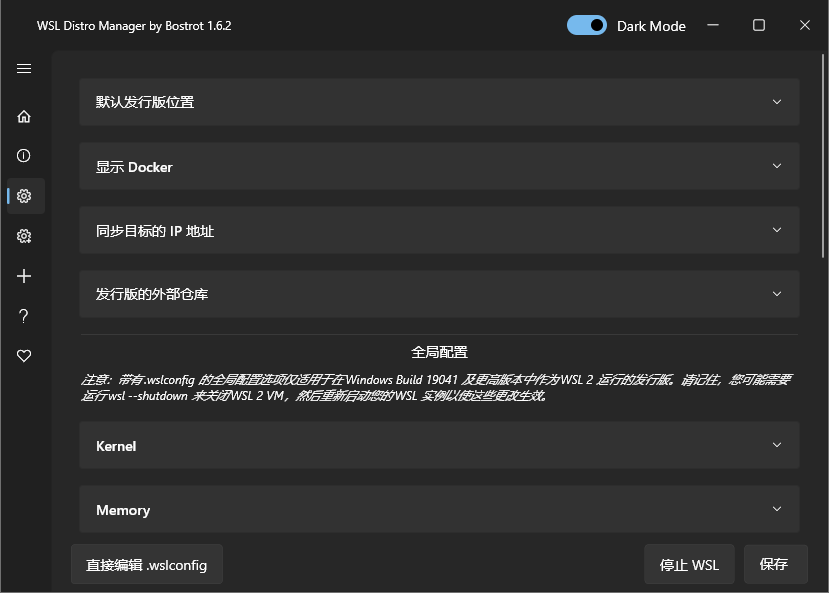
软件特点
- 列出 WSL
- 复制 WSL
- 删除 WSL
- 启动 WSL
- 重命名 WSL
- 创建 WSL
- 下载 WSL
- 从存储器中选择 rootfs
- 快速行动(直接在您的实例上执行预定义的脚本以进行快速配置)
- 下载并使用 Turnkey 或其他 LXC 容器(试验性的,用 Turnkey WordPress 等测试)。
- 使用您自己的 rootfs 或 LXC 容器的存储库
- 以及更多…
更新日志
v1.11.0
🐛 Bug Fixes
- Template creation (#295): Creating from a template now works even if you leave the name field unchanged/empty; errors are shown instead of failing silently.
- Create-instance errors (#278): The status bar now shows actionable error messages instead of meaningless text.
- Turnkey/systemd flow (#302): Removed outdated fake-systemd setup behavior and updated the warning logic.
🚀 Improvements
- Error text handling: Status and notification messages are more readable (including non-English output).
- Explorer path handling (#281): Safer path resolution and normalization for distro folders.
- Installer upgrades: Migrated to a more reliable Inno Setup installer with automatic VC++ runtime dependency installation.
- Release packaging: Setup installer artifacts are now built and published more reliably in CI.
- Data safety: Enhanced recovery and safety improvements for move/cleanup operations to better protect data during interrupted operations.
- Automated testing: Expanded test coverage for the above bug paths to reduce regressions in future releases.
✨ New Features
- VHDX import support: Added support for importing VHDX files, along with related creation and import flow updates.