 Puresys纯净系统-软件下载
介绍
7-Zip – 流行的免费开源压缩软件。7-Zip是一款老牌拥有极高压缩算法的免费开源压缩文件管理器,提供命令行接口和图形界面操作,支持独立的7z格式及近乎所有压缩格式,包括ZIP, RAR, ISO, CAB, GZIP, BZIP2, TAR等。其多线程LZMA压缩比要比普通ZIP文件高达30-50%,它可以把ZIP格式的文件再压缩2-10%。
软件截图
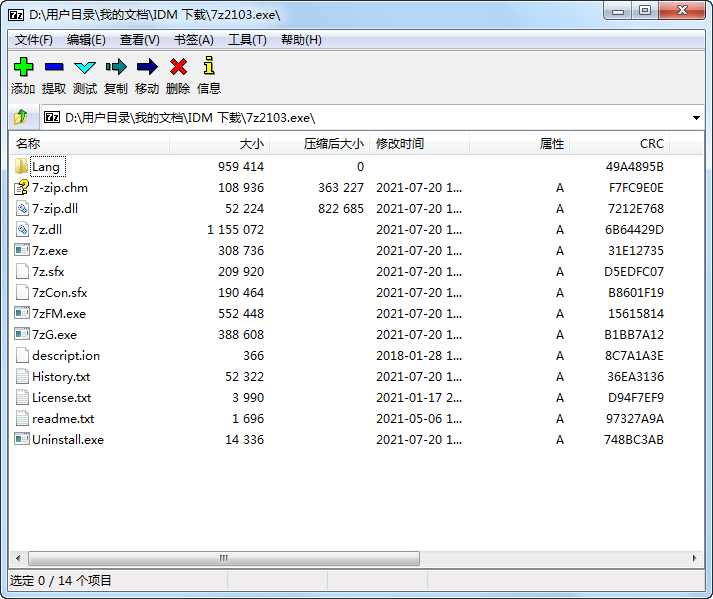
软件特点
开源免费,界面简洁,功能强大;
AES-256加密算法让你的文件更安全;
压缩速度快、压缩率比同类软件好;
众多主流压缩解压格式任你选:
支持对7z, XZ, BZIP2, GZIP, TAR, ZIP and WIM等格式的压缩/解压缩!
仅解压缩:ARJ, CAB, CHM, CPIO, CramFS, DEB, DMG, FAT, HFS, ISO, LZH, LZMA, MBR, MSI, NSIS, NTFS, RAR, RPM, SquashFS, UDF, VHD, WIM, XAR, Z
更新日志
7-Zip 26.01
- linux version of 7-Zip can use huge pages (2 MB pages). It can increase compression speed for 10% for 7z/xz/LZMA/LZMA2 compression.
- new
-spo[d|c|r]switch specifies the path generation mode for the output directory for archive extraction. The output directory path is generated from the path specified in the-o{dir_path}switch and the name of the archive being unpacked.
-spod: for Linux/Posix/macOS:-o{dir_path}specifies the direct path to the output directory. The asterisk (*) character in {dir_path} will not be replaced by the archive name.
-spoc: 7-Zip will concatenate the path specified in-o{dir_path}with the archive name to form the final path to the output directory.
-spor: 7-Zip will replace asterisk (*) character in the path specified in the-o{dir_path}with the archive name. This is the default option. - some bugs were fixed.



感谢老大哥提供的官方原版安装包!7-ZIP官网的下载现在已经被墙了,无法从官网直接下载。
7-zip.org没发现被墙。
单文件被360检测到有捆绑